Material Master: OEM, Barcodes and Labels in One Place
Every item is searchable by code and label in the field
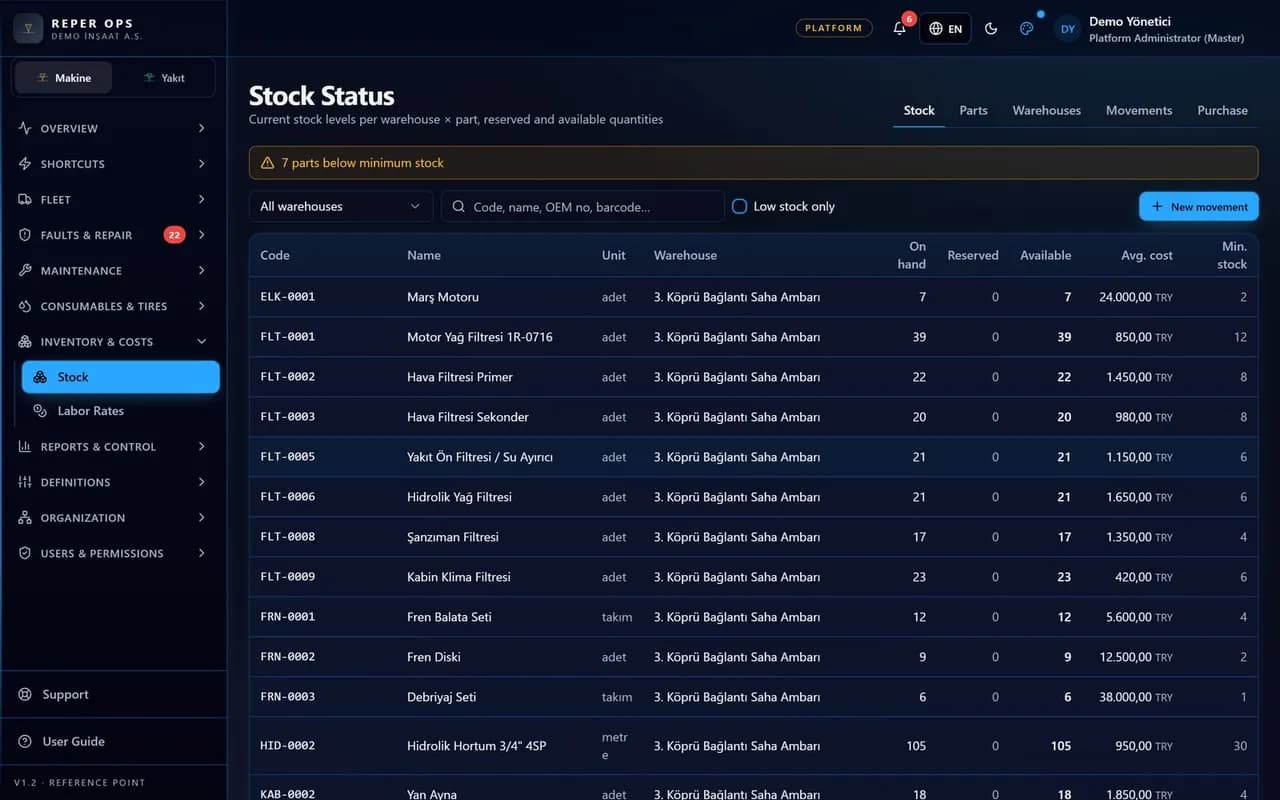
Reper Mass keeps spare parts and site materials on the same material card. OEM, MPN, supplier, legacy and catalogue numbers are searchable identifiers; equivalent and superseded links appear as suggestions. Multiple barcodes per item carry unit and quantity per scan. Category tree, base unit, conversions and reorder point live on the card; codes are generated from the customer scheme. Label symbology is QR, Code128, EAN13 or DataMatrix; thermal and A4 layouts preview and print to PDF.
Cross-reference identifiers
OEM, MPN, supplier, legacy, catalogue and customer refs link to one item. USB scanner or camera resolves a single code.
Alternates
Equivalent, compatible and superseded relations list on the card; picking and requests show alternate hints.
Multiple barcodes
Case, pallet and each barcodes are separate rows; qty per scan fills automatically.
Category, units, auto code
MaterialCategory tree, UnitOfMeasure and per-material conversion; materialCodeScheme builds prefixed codes.
Label printing
bwip-js material labels with symbology, name, code, unit; 50×30, 70×40 thermal and A4 3×8.
Attachments and flags
Images, MSDS and catalogue files via PartAttachment; ABC class, shelf life and critical flags feed reports.
Card structure and search
List at /mass/materials; detail tabs for identifiers, barcodes, alternates, units and files. GET /api/mass/scan?code= resolves barcode, code, qrToken and identifiers.
Keyboard wedge USB scanners work on all forms; camera scan on /mass/scan, receipt, count and pick screens.
Labels and deep links
Label size from customer default; item label symbology overrides. /mass/q/<token> opens material or bin deep links.
Bin labels show large location code and symbology; material labels show stock unit.
- 1
Set category and code scheme
Configure label symbology and materialCodeScheme in Mass settings; confirm units.
- 2
Create cards and identifiers
Open material detail; add OEM/MPN, barcodes, alternates and conversions.
- 3
Print labels and scan
Export PDF from label preview; scan on /mass/scan and movement forms.
FAQ
Which barcode types are supported
QR, Code128, EAN13, DataMatrix and QR+Code128 at customer or item level. GS1-128 lot labels use the lot module.
Are existing spare part codes kept
Yes. The material card model is extended; uniqueness and work-order consumption keep using the same engine.
Bulk load
Excel import module provides material, barcode, identifier and alternate templates with preview before commit.