
Machine Allocation and Dispatch: From Plan to Field
Spot machines that are not on site
Reper Axis records which project and date range each machine should serve, then compares that to the machine's current project and location. Mismatches appear on the not-on-site list so haulage needs are visible. Planners open dispatch orders with your lowbed and tractor, an external haulier or self-drive; drivers confirm loaded and unloaded from the machine QR code. Unplanned moves apply immediately and planners review them afterwards.
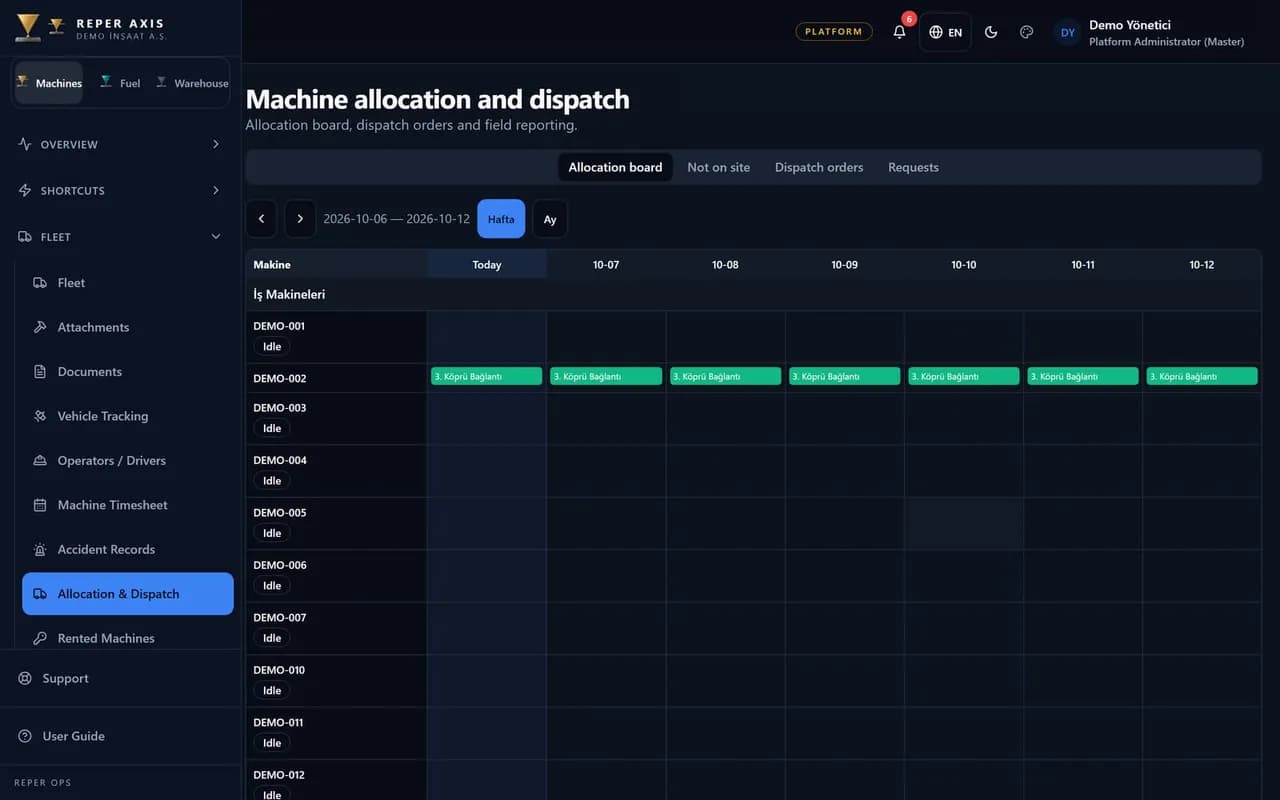
Allocation calendar
Define machine, project, location and optional unit for a date range. Overlapping allocations on the same machine are rejected; rental end, maintenance due and open accidents show as warnings.
Allocation requests
Site supervisors request quantity and dates. Planners approve by creating allocations or reject with a reason; there is no multi-step approval chain.
Not-on-site list
When the allocated project differs from the machine's current location, the machine is listed for dispatch planning.
Dispatch orders and capacity
Choose own lowbed and tractor, external haulier or self-drive. If lowbed capacity is exceeded, a mandatory override reason is stored on the order.
QR load and unload
Drivers report loaded and unloaded from the machine QR screen. On unload, telemetry position is compared to the target site when available.
Timesheet and cost
Haulage days appear as a separate timesheet status; haulage cost flows into project expense reports and Excel exports.
Allocation and not-on-site
An allocation states where a machine should be between dates. If the machine card shows a different project, the not-on-site list drives dispatch planning. Overlapping dates are rejected when creating allocations; rental end, maintenance due and open accidents appear as warnings rather than hard blocks.
Dispatch orders and field flow
Orders run on lowbed, external haulier or self-drive modes. Each leg moves one machine; loading opens a transfer downtime period and unloading updates location and optional unit. Drivers use the machine QR transfer screen; offline entries queue like other field flows. Approved machine timesheet and rental billing and project cost read haulage days; drivers link through operator management with primary and backup operators per shift.
Unplanned dispatch review
Unplanned dispatches go straight to in-transit and update location. Until a planner sets reviewed, the order shows an unreviewed badge. Moves outside allocation are highlighted in the panel.
- 1
Allocate
Planners bind machines to projects and dates or approve requests.
- 2
Plan dispatch
Create orders for not-on-site machines with mode and driver.
- 3
Complete in the field
Load and unload via QR; location checks and transfer records are created.
FAQ
What happens with an unplanned dispatch
Unplanned moves from the field update location immediately. Planners receive a notification and the order stays marked unreviewed until checked.
If unload location does not match
When telemetry differs from the target site, the leg is marked mismatch and planners are warned. With no data, the check shows as unavailable.
When lowbed capacity is not enough
The system blocks the move until a reason is entered; the reason stays on the order.
How haulage appears on timesheet
During haulage the machine timesheet shows a dedicated in-transit status. Rental deductions follow contract rules together with approved timesheet data.
Modules
Machine Timesheet
Daily work, downtime and shifts in one timesheet
Rental Billing and Project Cost
Period billing and project cost from approved timesheet
Operator Management
Track assignment history and licence expiry in one place
Fleet Inventory
Heavy equipment, trucks, attachments and plants in one list