
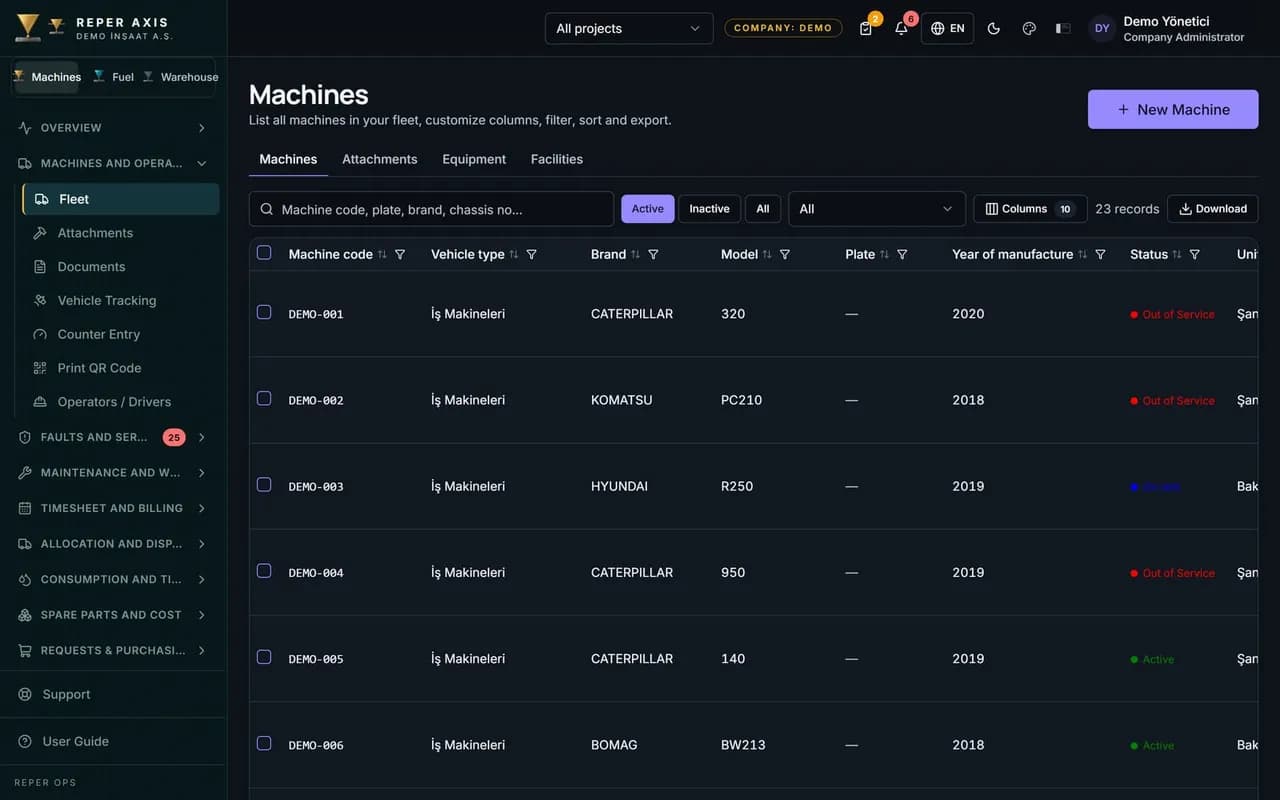
Manage your equipment fleet and operators in one place
Machines, ownership, warranty, operator licences and company structure no longer live in scattered files. Reper Axis keeps the fleet’s ID card, and faults, maintenance and timesheets attach to that record.
How the work flows on site
- 01
Set up the fleet
Machines are entered by group; an existing list is imported from Excel in bulk.
- 02
Complete the record
Ownership, warranty and documents go on the machine card.
- 03
Assign the operator
An operator is assigned to a machine and licence expiry dates are tracked.
- 04
Link company and project
A machine is tied to its operating company and project; transfers stay on record.
Modules in this solution
Fleet Inventory
The backbone of your fleet: machines, trucks and facilities each sit in their own group in one list.
Go to module pageMachine Record
Warranty, contract end dates and documents live with the machine, so history survives a handover.
Go to module pageOperator Management
See who used which machine and when, and when their licences expire.
Go to module pageMulti-Company Sites
Machines of the parent company, subsidiaries and subcontractors share one fleet without mixing up ownership.
Go to module pageLet’s look at it with your machines
Tell us about your fleet and we will show this solution in your scenario.