
Excel Data Import: Template, Preview and Commit
Load historical fleet data through one controlled screen
Sixteen import types sit on one screen: project, location, brand, machine group, machine, operator, meter, fuel, oil, maintenance program, maintenance assignment, historical work order, historical fault, tire, part and part stock. Each type has a template with sample rows and a description sheet to download. You run preview first; bad rows are listed and commit runs only after you approve. Uploading the same file again does not create duplicates, and an empty cell leaves the existing value in place. Rows outside write permission or project scope for that user are rejected, and the licensed machine limit is enforced. Historical data migration can be supported during transition if that is part of your project.
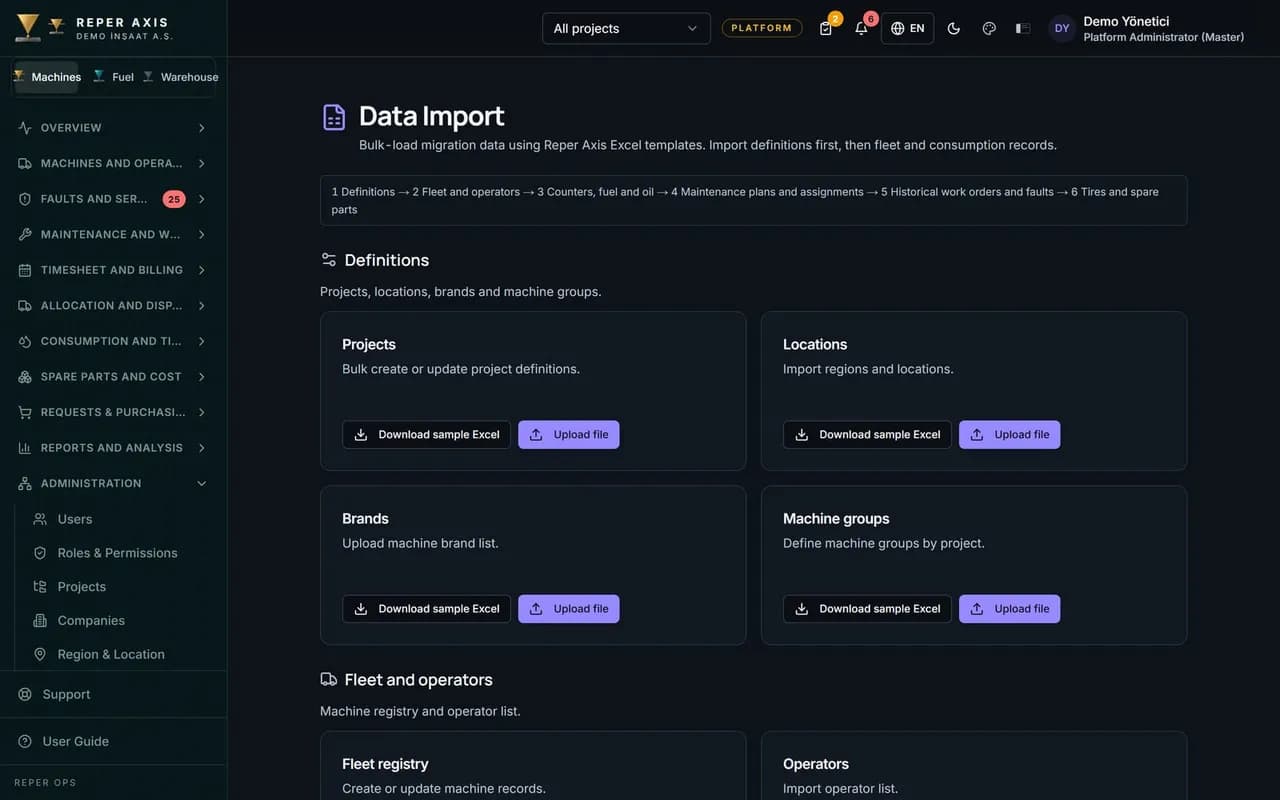
Sixteen import types
Master data, consumption, maintenance and tires share one module; every type follows the same preview and commit flow.
Template and column help
Download an Excel template with sample rows and column descriptions so required fields are clear before you fill the sheet.
Preview and error rows
Preview runs before commit. Fix reported rows and upload again until the sheet is clean.
Duplicates and blank cells
The same row cannot be committed twice. A blank cell does not erase data already in the system.
Permission and scope
Rows outside write permission or project scope are rejected. You cannot exceed the machine count on your licence.
Organisation and PermissionsTransition support
During setup and cutover, historical migration can be supported while day-to-day work still goes through preview.
Fleet InventoryHow it works
- 1
Download the template
Pick the import type and download the template with sample rows and the description sheet.
- 2
Preview
Upload the file, correct any flagged rows and run preview again.
- 3
Commit
Approved rows are written; existing records update and new ones are created where needed.
Import catalogue
Every import type is chosen from the same screen. The template includes sample rows and a description sheet; you prepare data in your own Excel workflow and upload when ready.
Preview discipline
Preview shows errors and warnings per row. Commit runs only for uploads you explicitly approve. Duplicate rules match the behaviour of earlier Excel import paths.
Permission and licence
Vehicle and operator writes are filtered to what the user profile allows. Rows that would push you past the machine licence cap are rejected.
Imported machines become the basis for fleet inventory and preventive maintenance.
Who it is for
Data owners who need historical fleet, meter and maintenance data in place quickly on a new tenant, and fleet teams who already live in Excel.
FAQ
Which data can be imported
You can import projects, locations, brands, machine groups, machines, operators, meters, fuel, oil, maintenance programs and assignments, historical work orders and faults, tires, parts and part stock.
Can it wipe the whole list by mistake
No. Blank cells keep existing values, and preview is required before anything is committed.