
Field-to-Office and Office-to-Field Automatic Translation
One fault record, each team reading in their own language
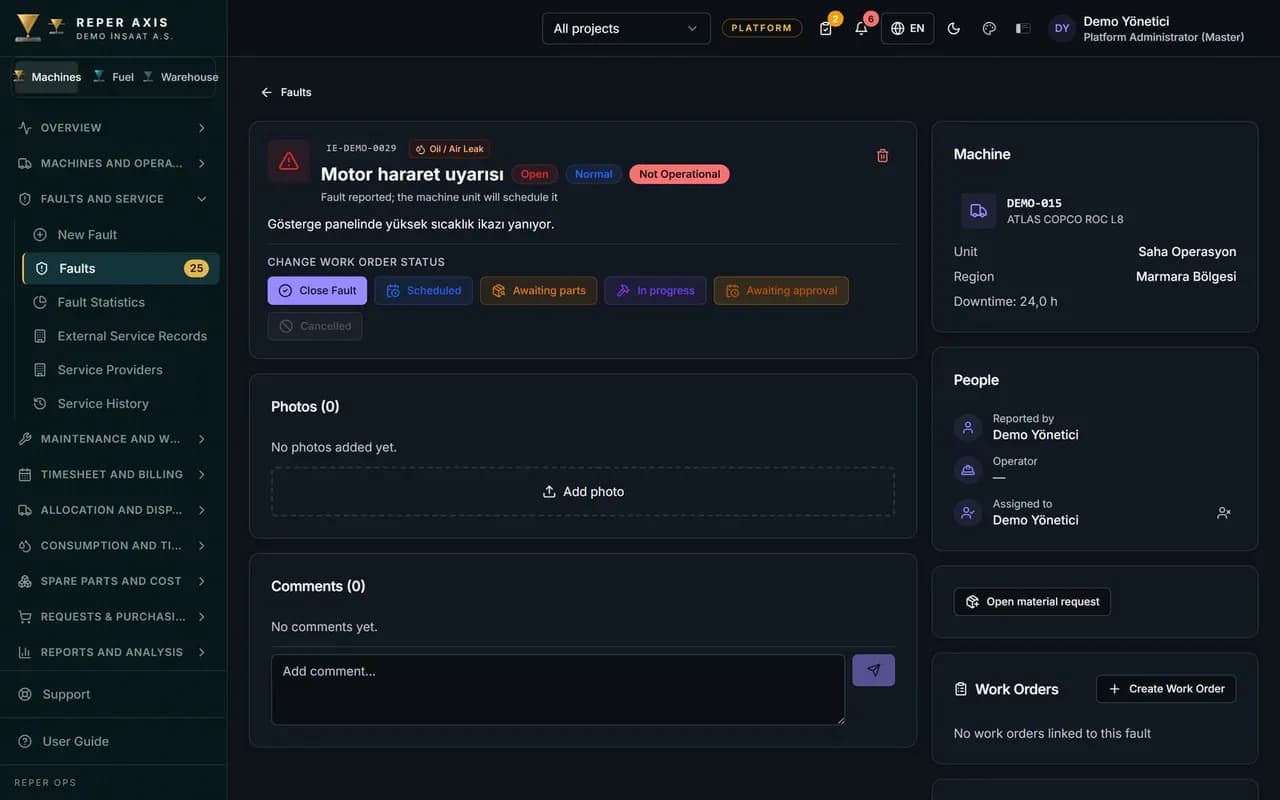
On international sites, field and office teams often work in different languages on the same records. On the web, the text of a fault, its comments, work orders and material requests is shown in whichever language the reader has chosen in the interface: what the office wrote in Turkish, the technician can read in their language, and what the technician wrote in Arabic, the office can read in Turkish. On mobile, fault records and comments are translated; the QR fault list follows the reader language too. A short note under the text says it was translated automatically, and one tap opens the original; any edit always changes the source text. The system detects the language of the text. Translation is visible only to users who are allowed to see the record. The interface is available in Turkish, English, Arabic, French and Russian. On enterprise accounts, translation is switched on during setup and the administrator sets a monthly character quota.
Text in your language
On the web, faults, comments, work orders and material requests appear in the reader language. On mobile, fault records and comments do the same for authorised users.
Fault ManagementThe source record stays as written
The text in the original language is not replaced. Edits and audit always refer to that source.
One tap to the original
Beside the automatic translation note, one tap opens the source text together with the language it was written in.
Source language detection
The language of the text is detected automatically. The target language is the one selected in the user interface.
Web, QR and mobile
Web lists and detail screens, and the QR fault list, show text in the reader language. Mobile translates fault records and comments; work order text is not translated on mobile.
QR in the FieldQuota and enablement
During enterprise setup the administrator enables translation and sets the monthly character quota. Only fields that appear on screen are sent for translation.
Organisation and PermissionsHow it works
- 1
Choose your language
Each user sets the interface to Turkish, English, Arabic, French or Russian.
- 2
Read and reply
Field or office writes in their language; the other side reads the same record in theirs.
- 3
Edit the source when needed
If something must be corrected, open the source text and update it in the original language.
Bridge between field and office
Operators and technicians raise faults or add comments from site; the office reads and replies on the web in their language. When the office comments, the technician sees that comment on mobile in their language. Work order and material request text on the web follows the reader language.
Security and source text
Translation is offered only to users within the record scope. Edits always touch the source; the automatic text is there to make reading easier.
The material request flow works alongside material requests.
Mobile and QR
On mobile fault detail, record and comment text are translated. On the QR fault list, titles appear in the reader language.
Who it is for
International projects where Turkish, Arabic, Russian, English or French teams in the field and in the office need to stay aligned on the same fault without copying messages between apps.
FAQ
Does translation change what everyone sees
No. The source record stays the same. Each person sees a translated view only in their own interface language.
Which record types are covered
On the web, fault records, fault comments, work orders and material requests are translated. On mobile, fault records and comments; work order text is not translated on mobile. Only users with access to the record see translation.