
Work Order Software: Preventive and Corrective Jobs in One List
Let the workshop find its morning list ready
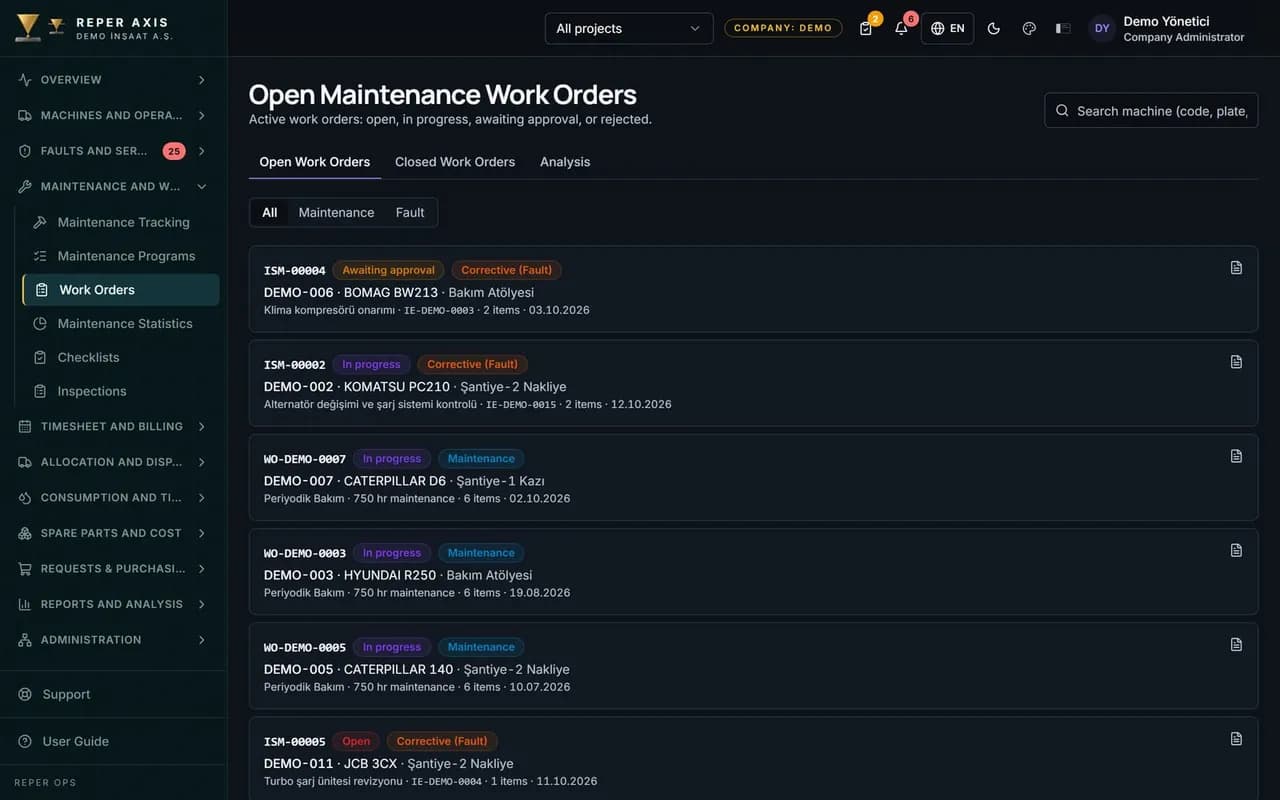
Preventive jobs generated by maintenance programs and corrective jobs raised from faults sit in the same list and follow the same flow: plan, start, complete, approve. Every work order carries its own parts, labor and task list. On closure the cost is written to the machine by itself, with no extra data entry.

Part reservation and consumption
When a work order is opened the required parts are reserved in the warehouse, and once the job is completed they are deducted from stock. The technician never waits on parts.

Labor hours and rates
Hours spent are costed by multiplying them with the project-based hourly rate. Parts, external service and other items go on the same card.
Task list
Checklist items are attached to the work order as tasks. The technician ticks off each step as it is done.

Complete and approve
The job is closed in a single step and an optional approval chain kicks in. A work order awaiting approval is sent to the responsible user as a notification.

Traceable back to its source
Every work order carries the fault or the maintenance program it came from. The status history shows who did what and when.
How it works
- 1
The work order is created
A maintenance program triggers, or a fault is converted into a work order.
- 2
It is planned and assigned
The date is set, parts are reserved and the job lands in the workshop.
- 3
It is carried out
Tasks are ticked off, labor hours and the parts used are entered.
- 4
It closes
The approval step is cleared and cost and downtime update automatically.
How jobs are raised in work order software
Work orders come from two sources. A preventive work order is created by itself when the hour meter or calendar threshold in the maintenance program is reached, or it is opened with the Create Work Order button on the Maintenance Dashboard; it arrives pre-filled with the job and material list from the program. A corrective work order is opened with the Create Work Order button on the fault detail page, stays linked to the fault and does not enforce a meter reading. To open one manually, New is selected from the Work Orders list, the machine and the job are defined and material lines are added.
In the list, the type column shows whether the work order is preventive or corrective, and the trigger label shows whether it was fired by the hour meter or by the calendar. On fault-linked records the fault reference appears on the row.
Execution in the workshop: tasks, parts, hours
The technician opens the record from the Open Work Orders list. On the Tasks card the checklist items tied to the maintenance program are listed; each item is ticked as completed, values or photos are entered where required, and the progress rate updates automatically. If the template is mandatory, the Complete step cannot be reached until the tasks are finished.
On the Parts card, Add Part is used to pick the part, the warehouse and the quantity; stock is reserved at that moment and a warning appears if it is short, with the option to raise a purchase request from there. Labor hours are entered on the cost card; the hourly rate comes in automatically from the definitions based on the project and the date. External service and other amounts are written to the same card.
Closure and approval
Once every item is done, the Complete button is pressed and the closing meter reading and the person who did the job are entered. If the approval mode is optional or off, completion and approval happen in a single step; in mandatory mode the record lands on the Approvals page, an authorised user selects Approve or Reject, a rejected record goes back to its owner with the reason, and nobody can approve their own record. At the moment of completion the reserved parts turn into an outbound stock movement, the line price is taken from the weighted average cost, the work order moves to the Closed list and it is written to the machine's history. A started work order creates maintenance downtime, and that period feeds the availability calculation.
What the manager sees
The Statistics page shows monthly opened and closed work order counts, average completion times and a table of the machines with the most work orders. Work orders awaiting approval, upcoming or overdue are sent to the responsible user as notifications. An authorised user can make limited edits on a closed work order, and every change is written to the audit trail. This structure suits central workshops serving several job sites as well as fleets running mobile maintenance crews in the field.
FAQ
Are preventive work orders opened by hand
No, the work order is created by itself as soon as the hour meter or calendar threshold in the maintenance program is reached. The workshop finds the morning list ready.
Is stock deducted automatically when a work order closes
Yes, reserved parts are consumed at the moment of completion and the warehouse balance is updated. The consumption cost is calculated on a weighted average basis.


Ready to digitize your equipment fleet?
Take the first step toward a more efficient, more controlled and more profitable operation.