
From fault to maintenance in one flow: report, work order, closure
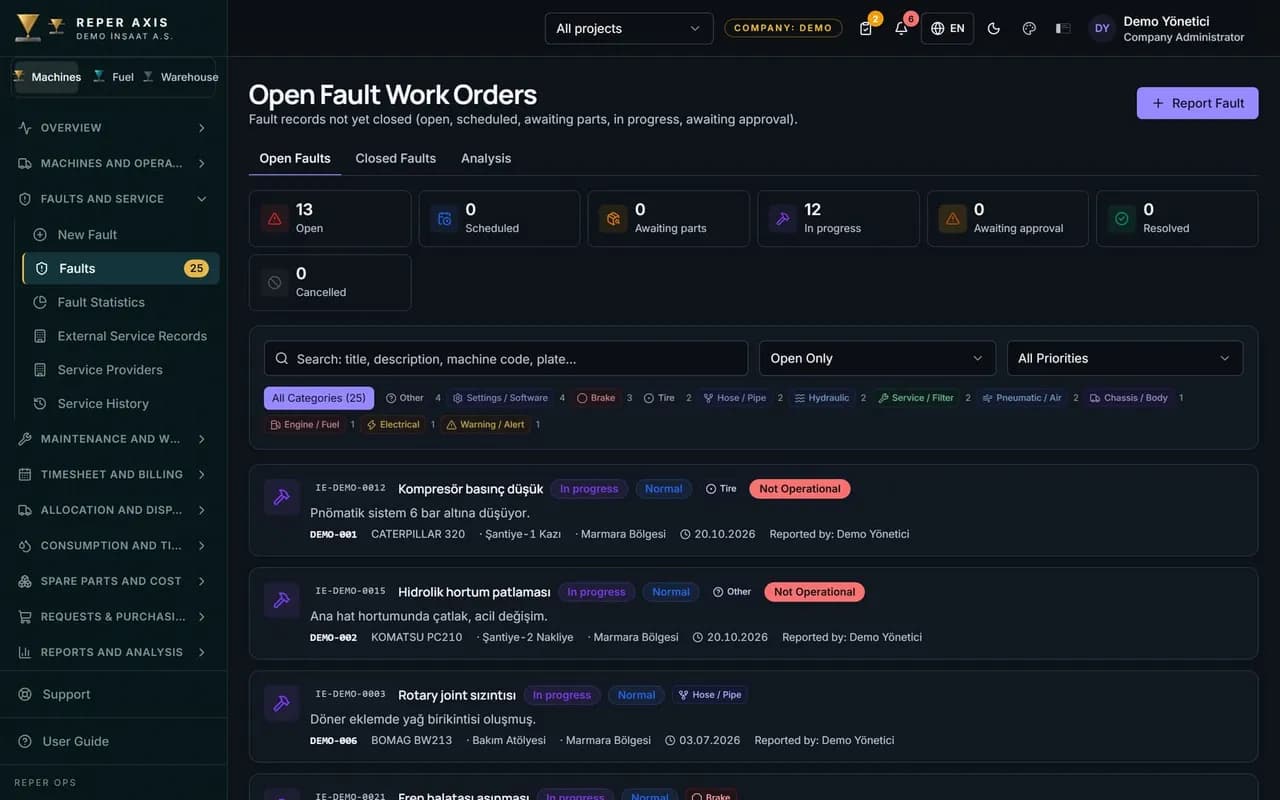
Faults no longer vanish in chat groups, and service no longer slips while nobody reads the meter. Every record opened on site flows through the same chain to the workshop, the work order and the cost.
How the work flows on site
Report by QR
The operator scans the QR code and opens the fault with a photo and a priority.
Workshop assignment
The maintenance lead reviews the record and assigns it to the right crew.
Work order
A fault that needs repair becomes a linked corrective work order.
Parts and labour
Parts used, labour hours and external service collect on the work order.
Closure and cost
The closed job is written to the machine record, its downtime and its cost.
Modules in this capability
Fault Management
Fault Management
Fault tracking in one flow, from the field report to closure
Reported in seconds with a QR code
The operator scans the QR code on the machine and the form opens with the right machine already selected.
Automatic downtime on non-operable faults
The moment a machine is marked as non-operable, the downtime clock starts on its own.
Warranty checked automatically
When a record is opened on a machine still under warranty, it is flagged with a badge; you use that flag to follow up the warranty claim with the manufacturer.
Work Orders
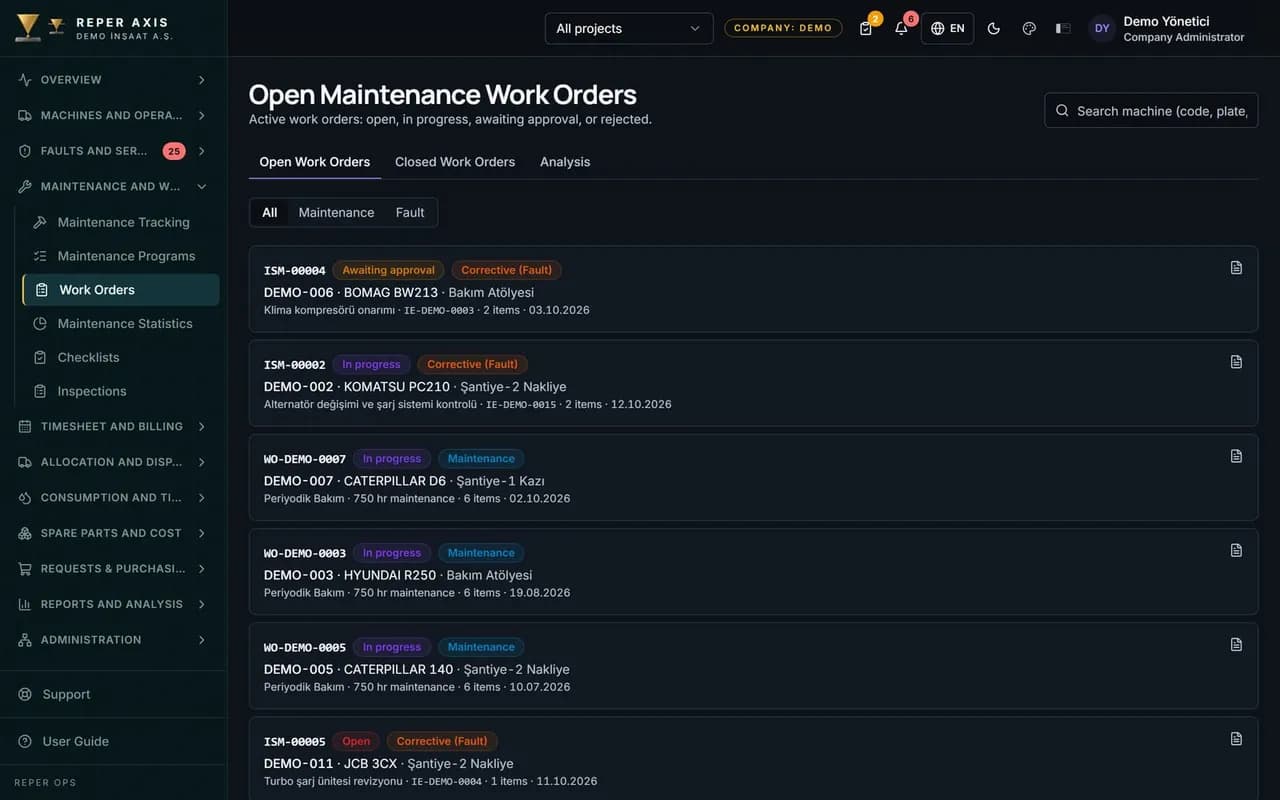
Work Orders
Preventive and corrective jobs in one list, under one discipline
Part reservation and consumption
When a work order is opened the required parts are reserved in the warehouse, and once the job is completed they are deducted from stock.
Labor hours and rates
Hours spent are costed by multiplying them with the project-based hourly rate.
Task list
Checklist items are attached to the work order as tasks.
Preventive Maintenance
Preventive Maintenance
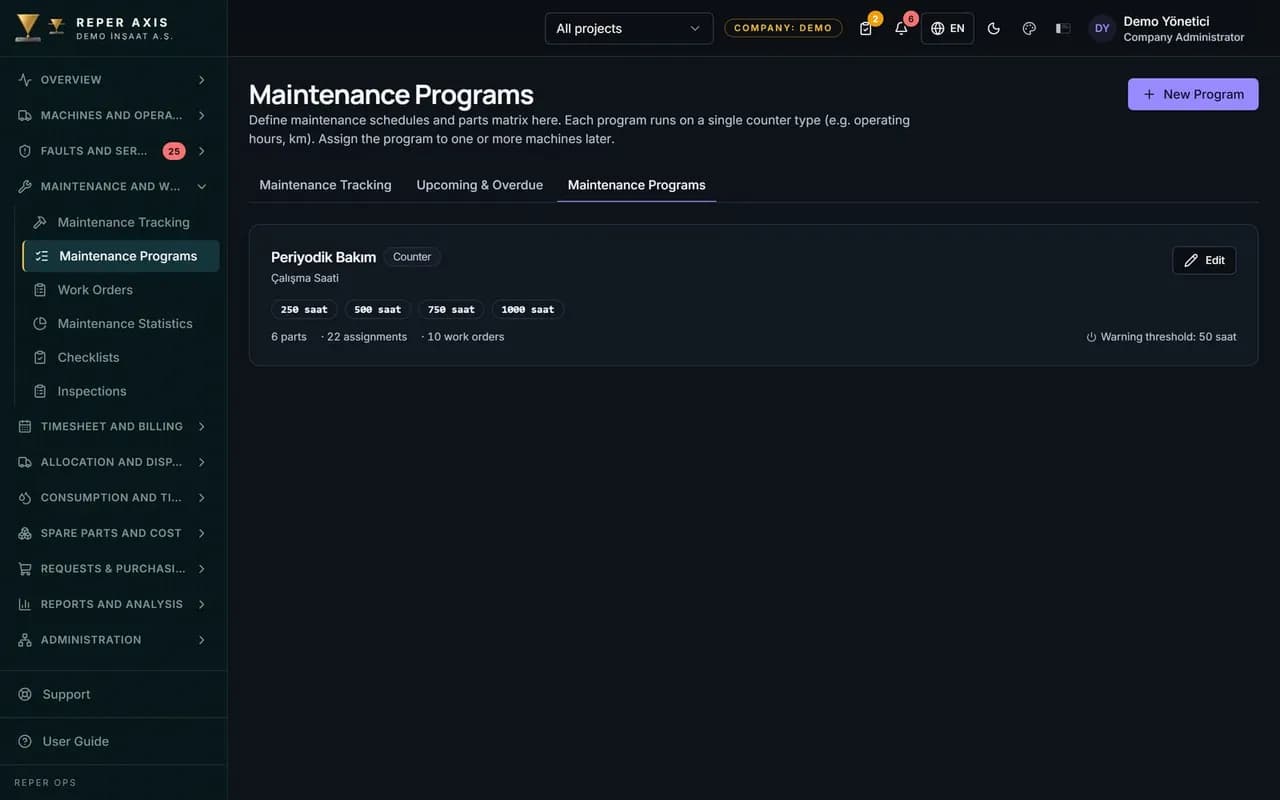
Maintenance programs triggered by hour meter, calendar or both
Dual-trigger programs
Engine hours and the calendar interval are defined in the same program, and the service falls due when the first of them is reached.
You set the warning threshold
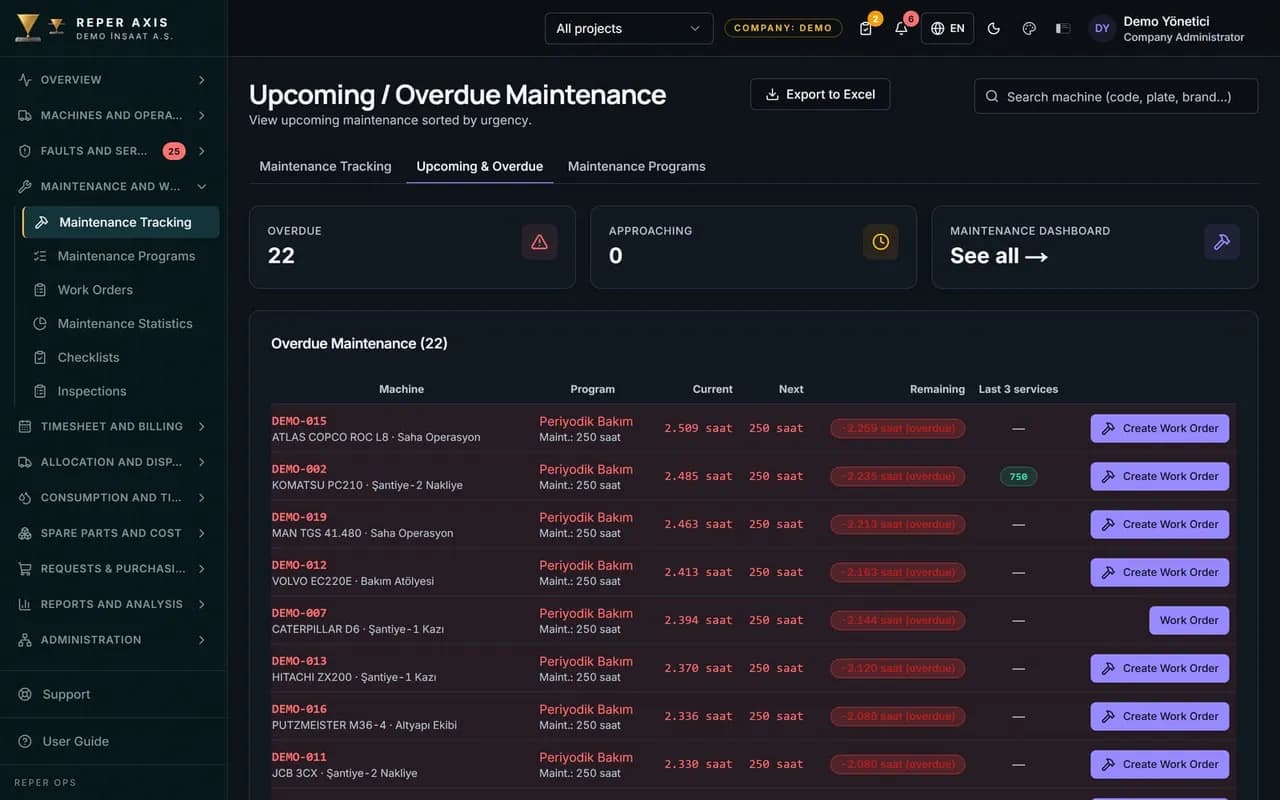
The company decides how many days or hours ahead of the service date it wants to be warned.
Maintenance parts list
Program items are linked to the part cards in the warehouse.
Meter Tracking
Meter Tracking
Engine hours and kilometres gathered in a single history
QR entry in the field
The operator scans the QR code on the machine and enters the current meter reading.
Automatic feed from telemetry
On connected machines the engine hours are pulled from the provider on a regular basis.
Fast bulk entry
Values for several machines can be entered one after another from a single screen.
Checklists
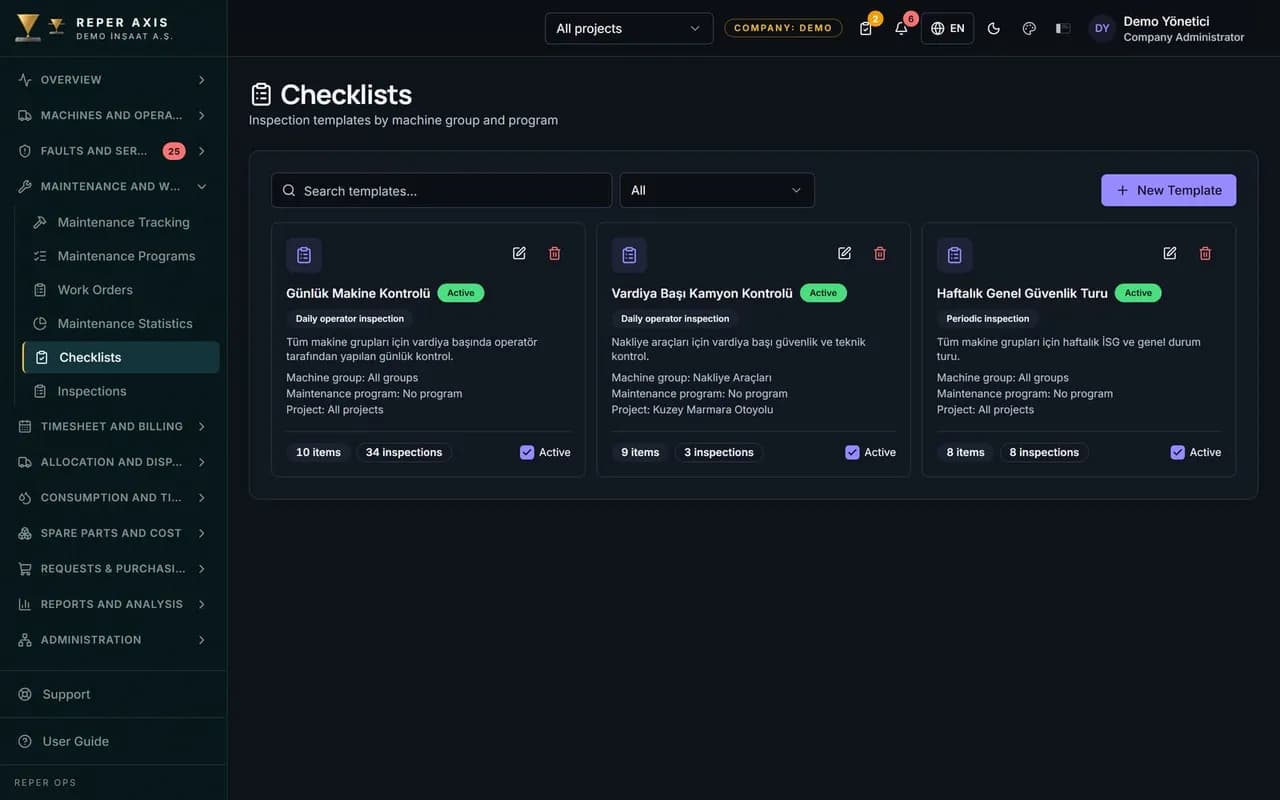
Checklists
Start-of-shift checks without paper, with photos and full search
Filled in on site with a QR code
The operator scans the QR code on the machine and the list defined for that group opens on screen.
A critical item opens a fault
When an item marked as critical fails, the system creates a fault record automatically.
Photo evidence
On items that require a photo, it is documented that the check was genuinely carried out.
Accident Records
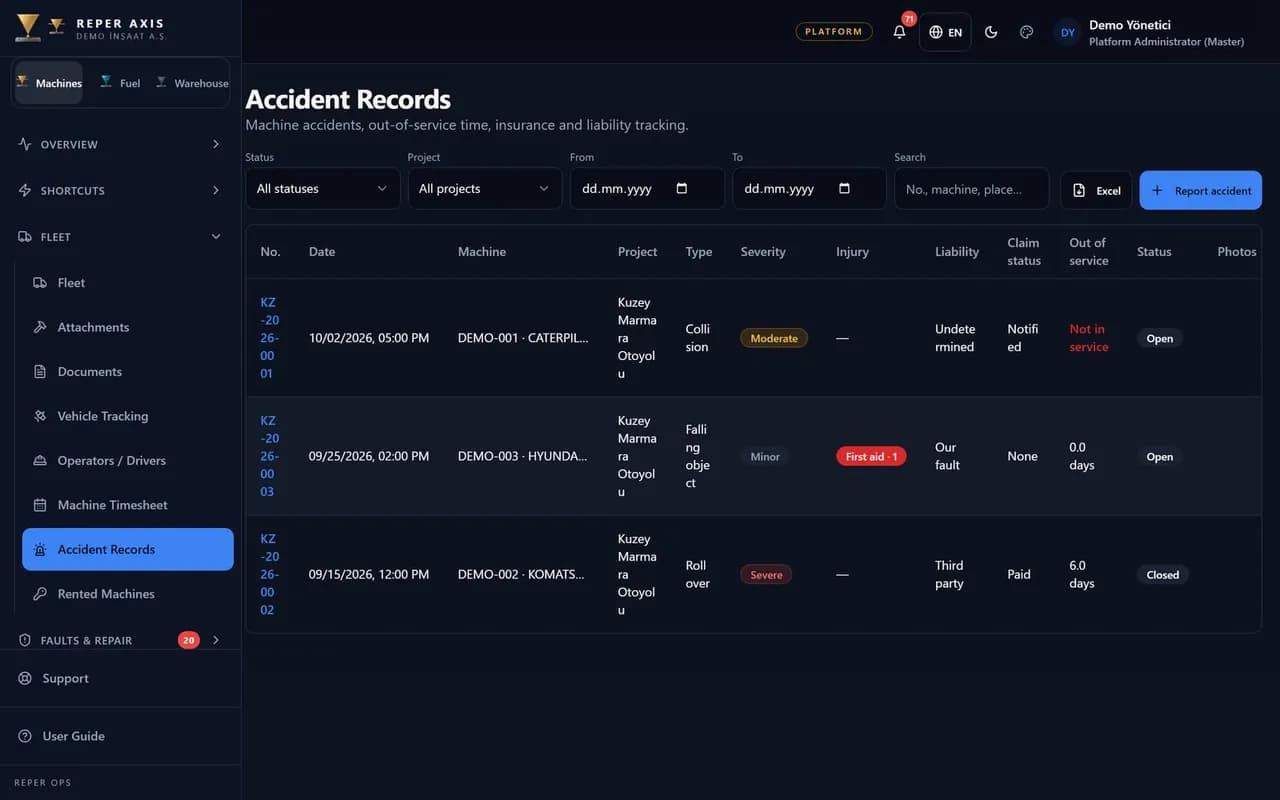
Accident Records
From field report to insurance follow-up
Fast QR opening
Operator or foreman scans the machine tag; the form opens with the machine selected for date, place and damage.
Sequential accident number
Each record receives KZ-YYYY-NNNN per year; archive and insurance files share one reference.
Attachments together
Scene photos, expert reports, minutes, invoices and other documents stay on the same record.
Fault Management
Fault tracking in one flow, from the field report to closure
Reported in seconds with a QR code
The operator scans the QR code on the machine and the form opens with the right machine already selected.
Automatic downtime on non-operable faults
The moment a machine is marked as non-operable, the downtime clock starts on its own.
Warranty checked automatically
When a record is opened on a machine still under warranty, it is flagged with a badge; you use that flag to follow up the warranty claim with the manufacturer.

Let’s look at it with your machines
Tell us about your fleet and we will show this capability in your scenario.