
Manage your equipment fleet and operators in one place
Machines, ownership, warranty, operator licences and company structure no longer live in scattered files. Reper Axis keeps the fleet’s ID card, and faults, maintenance and timesheets attach to that record.
How the work flows on site
Set up the fleet
Machines are entered by group; an existing list is imported from Excel in bulk.
Complete the record
Ownership, warranty and documents go on the machine card.
Assign the operator
An operator is assigned to a machine and licence expiry dates are tracked.
Link company and project
A machine is tied to its operating company and project; transfers stay on record.
Modules in this capability
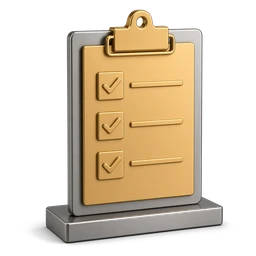
Fleet Inventory
Heavy equipment, trucks, attachments and plants in one list

Group-driven setup
Machines are separated by group, and each group carries its own inspection and maintenance routine.
Natural sorting and make merging
Machine codes are listed as 1, 2, 10 instead of alphabetically.

Ownership and contract badges
Owned versus rented status, warranty and contract state are visible right in the list.
Machine Record
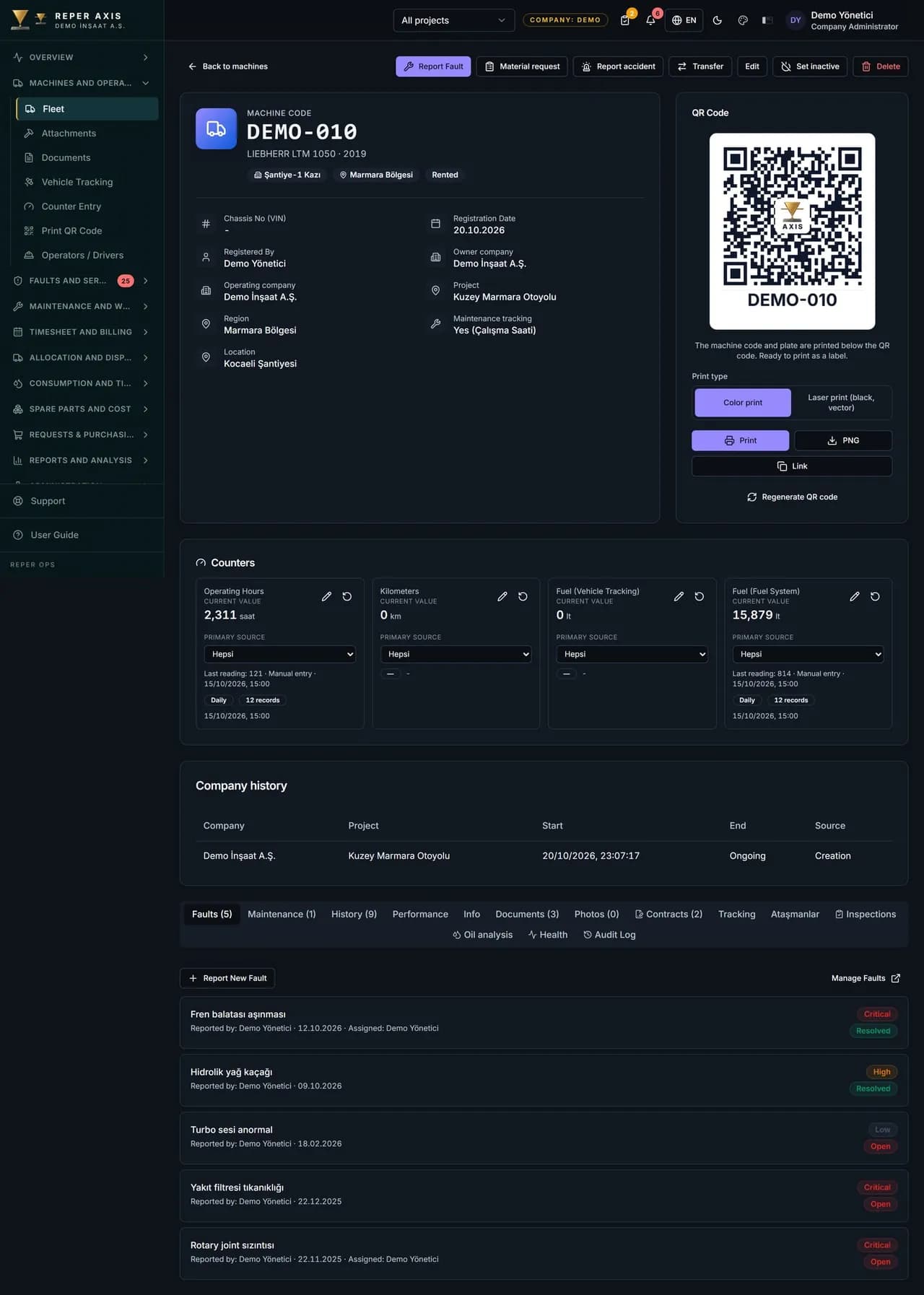
Ownership, warranty, contracts, documents and transfer history

Document access via QR
During a site inspection the machine QR code is scanned to view registration, insurance, inspection certificates and other documents.
Automatic warranty check
When a record is opened on a machine still under warranty, it is flagged with a badge; you use that flag to follow up the warranty claim with the manufacturer.

Contract expiry alerts
A notification goes out 30 days before rental, service, insurance and extended warranty contracts expire.
Operator Management
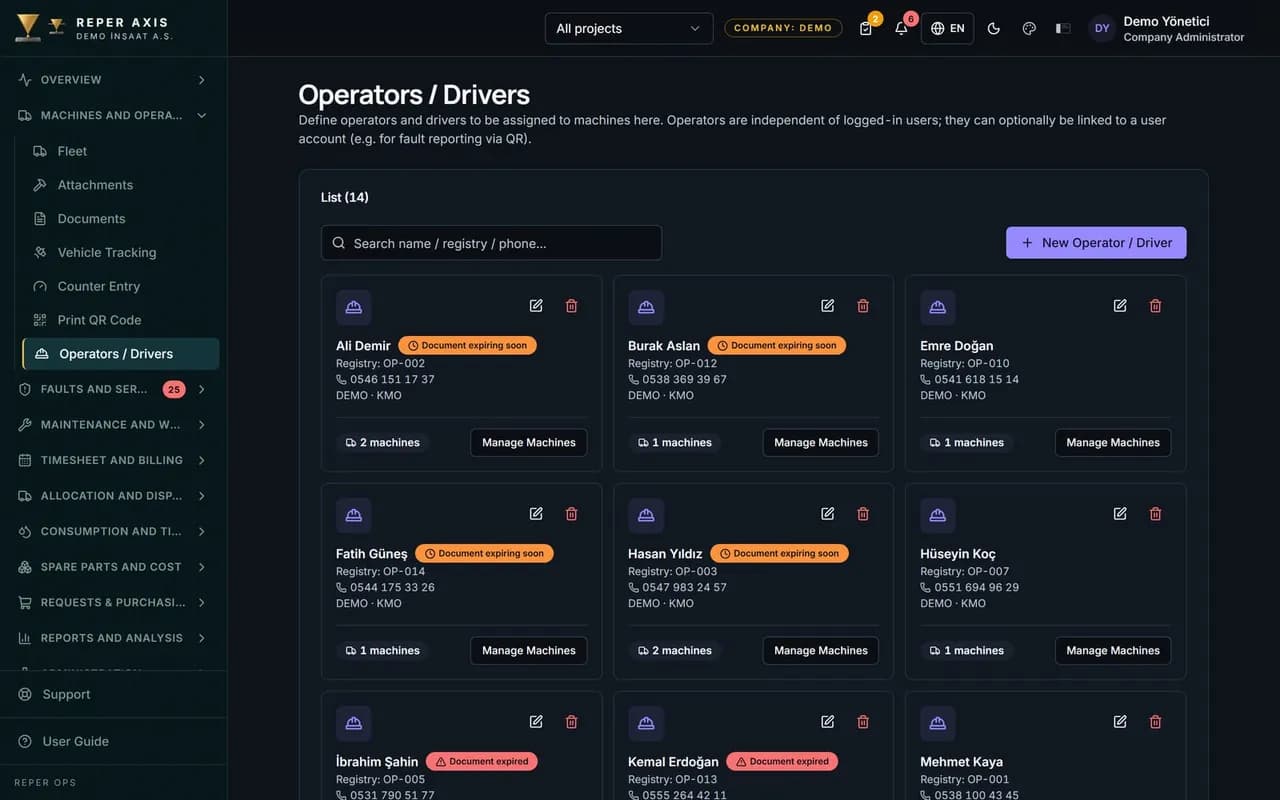
Track assignment history and licence expiry in one place
Licence expiry alerts
A notification reaches the responsible manager 30 days before an operator licence, driver certificate, psychotechnical report or safety certificate expires.

Assignment history
Which operator ran which machine on which dates is stored.

Performance indicators
Fault frequency and checklist completion rate are tracked per operator.
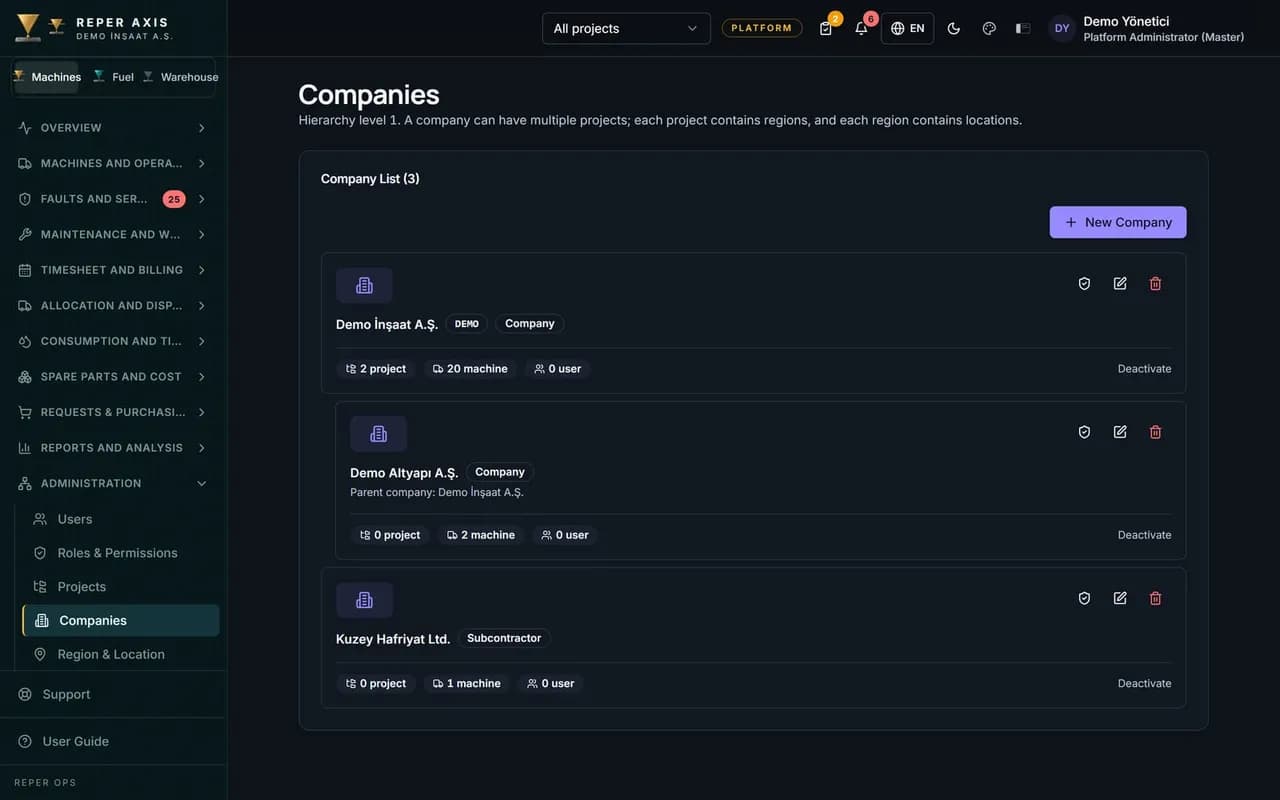
Multi-Company Sites
Owner, operating company and project roles in one fleet view
Company tree
Define parent, subsidiary and subcontractor companies in a hierarchy.

Project roles
Assign host, partner and subcontractor roles on the project so machines show under the project and company they work for.
Owner and operator
The machine card keeps owner company and operating company in separate fields; operating history is stored by date range.


Let’s look at it with your machines
Tell us about your fleet and we will show this capability in your scenario.