
Requests and Procurement: From Quote Comparison to Invoice
Take workshop demand off email and into approved purchase
When a need starts on a work order or a machine, Reper Axis turns it into a request for quotation. Suppliers receive an email with a PDF attached; quotes come back into one place and can be revised as negotiations continue. The comparison form lays lines side by side so you can award each line to a different supplier if you choose. Amount authority is set per person, document type, currency and company or project scope, and the approval chain can run as a ladder, a direct jump or a mix. Purchase orders and goods receipts export as PDF; invoices are matched to order and receipt lines, and a price difference above tolerance goes to its own approval step. If you do not use ERP, the full path stays inside Reper Axis; if you do, the same steps connect outward through integration.
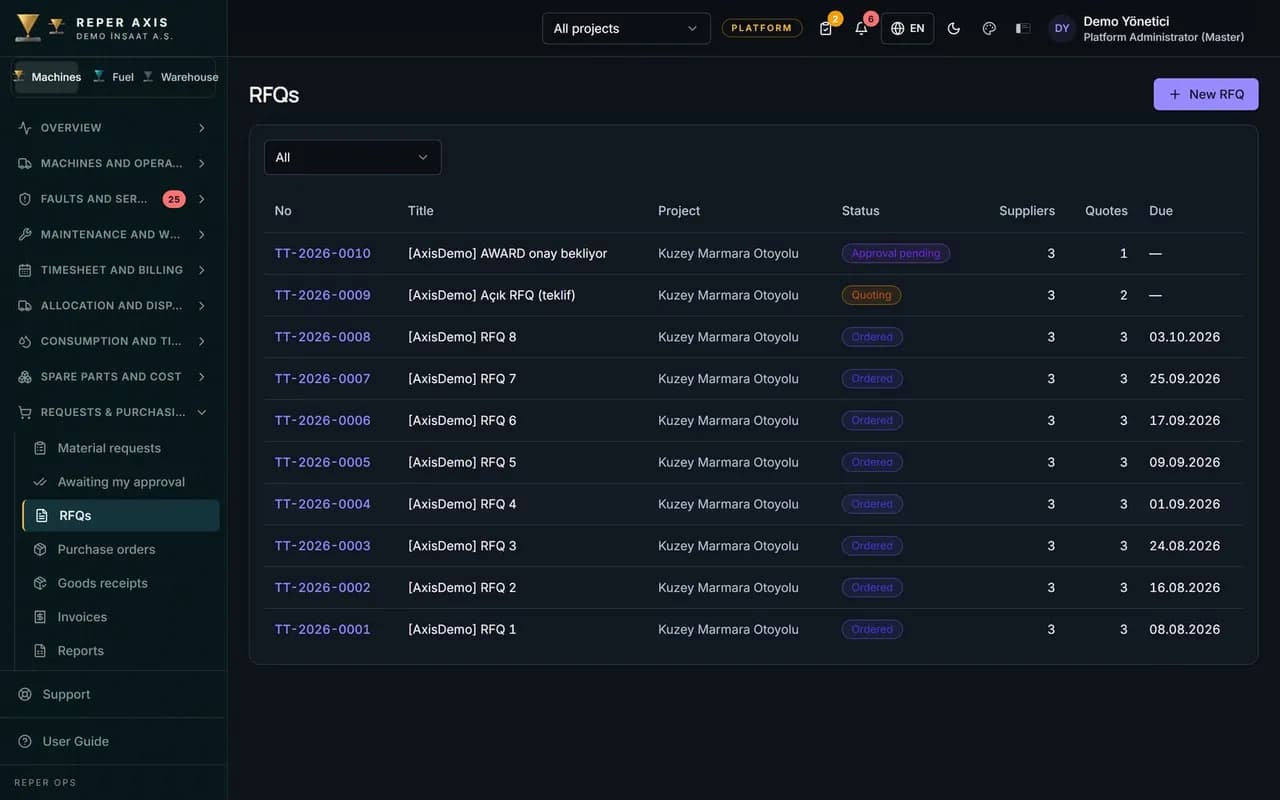
Request for quotation and collection
Open a numbered request for quotation and email suppliers with the PDF attached. Incoming quotes are revised and kept together in one list.
Decisions line by line
The comparison form PDF shows every line side by side. You can split one request across several suppliers when that is the better deal.
Amount authority and approval
Per-person limits cover document type, amount, currency and scope across company, project or cost center. Delegation is built in; a delegate does not take over the top approver right to approve their own request.
Organisation and PermissionsProcurement approvals on their own
Procurement uses its own list, badge and mobile screen, separate from fault and maintenance approvals. Overdue steps can escalate to the next level.
NotificationsOrder, goods receipt and invoice
Download the purchase order as PDF and record partial goods receipts. Invoice matching sends price variance above tolerance to extra approval; the document timeline shows every step.
Cost ManagementReports and several currencies
Procurement reports export to Excel. Exchange rates let you handle more than one currency in the same process.
How it works
- 1
Define the need
Open request lines from the machine or work order, then send the request for quotation to suppliers.
- 2
Compare quotes
Revise incoming quotes, review the comparison form and record approval decisions line by line.
- 3
Close the order
Complete the approved order, goods receipt and invoice matching, then pull reports to Excel.
From quote to order
Request lines stay tied to the work order or machine need. Each request for quotation receives a sequential number; suppliers get email with PDF attached. Quotes can be revised, the comparison form shows lines side by side and you decide row by row.
Approval and delegation
Amount authority is defined by person, document type, limit, currency and scope. The chain can be ladder, direct or mixed. The requester may approve their own request only when they hold top authority; a delegate does not inherit that rule. Overdue steps can escalate upward.
Goods receipt and invoice
The order document exports as PDF and goods receipt can be entered in parts. Invoices match to order and receipt lines; variance beyond the configured price tolerance enters a separate approval path. Every step appears on the document timeline.
Part demand connects to spare parts and work orders.
Who it is for
Procurement teams who want site and workshop demand on record instead of Excel and email, and finance and project managers who need amount authority managed person by person.
FAQ
Can the process finish without ERP
Yes. Request for quotation, approval, order, goods receipt and invoice matching all run inside Reper Axis. With ERP, the same steps connect to your external system through integration, and Reper Axis still works fully if you never turn integration on.
Same screen as fault approvals
No. Procurement approvals sit in a separate menu, dashboard card and mobile list, independent of fault and maintenance approval.