Why fault tracking gets harder on site
The same story repeats on most sites: the operator posts the fault to a WhatsApp group, the supervisor copies it into a spreadsheet at night, the foreman writes it in his notebook. Three records appear and none of them match. As sites multiply, who reported it and when it closed go unanswered.
The problem is not the tool but the broken chain. When the steps from report to repair live in different places, repeat failures go unnoticed, downtime is never measured and repair cost is never charged to the machine.
The limits of Excel and WhatsApp for fault tracking
Excel is flexible and familiar and it works in the early days. But fault tracking is not a table one person fills in; it is a process several people touch at once.
- Version chaos: several copies of the same file circulate and nobody knows which one is current.
- Photos: the fault photo stays inside WhatsApp, never attaches to the row and cannot be found later.
- Who and when: nobody can see who changed a row, and there is no status history at all.
- Cost linkage: parts, labour and external service never match the fault row, so cost per machine is impossible.
- Repeat failures: how often the same problem hit the same machine stays invisible without manual counting.
- Permissions: everyone with access sees and edits everything, including cost columns the field team never needs.
- Field entry: filling a spreadsheet from a phone is impractical, so the report slips back into a chat message.
When to move to fault tracking software
You do not need a large fleet to outgrow Excel. The time has come if several of these are true at once: more than one site writes into the same file; you want repair cost linked to the fault; you want to report downtime and availability; or management asks which machine causes trouble and the answer comes from memory.
Another test is the lost record rate. Count the fault messages in the chat group over a month and compare them with the spreadsheet rows. If the gap is significant, your tracking has already stopped working.
The cost of time counts too. Add the evenings spent copying messages, the days lost assembling a month end report by hand and the calls made to find a missing photo, and Excel is more expensive than it looks.
Comparing Excel and software on the same criteria
Test both tools with the same questions. How fast does a report become a record; is it attached to the right machine; is the photo inside it; is there a status history; is repair cost linked to the fault; do repeat failures surface by themselves; can a record be captured with no connectivity.
Excel answers most of these only with extra discipline and effort, while software provides them structurally. Run the comparison over a week of real faults, noting the time from report to closure and how often the same question had to be asked twice.
Steps for moving to software
The move does not happen in a day, but it does not take months either. What matters is settling the new flow into the field without breaking existing habits.
- Clean up the machine list: code, plate, make, model, project and location must all be consistent.
- Simplify fault categories and priority levels; five to ten categories suit most fleets.
- Decide the reporting path: the operator scans the machine QR code and fills a form instead of typing.
- Agree the approval setup: fault approval mandatory, optional or switched off entirely.
- Define the step from fault to work order and whose decision turns one into the other.
- Run the first month as a pilot on one site, keep the old spreadsheet in parallel, then retire it.
- Take the report into the weekly meeting: open faults, machines with the most downtime, recurring problems.
Why it pays off even for a small fleet
A fleet of fifteen machines is often thought too small for software, yet one long stoppage affects the whole job. The value of fault tracking is seeing the same problem return and knowing the maintenance and operating cost per machine, which turns replacement decisions into data.
Small fleets also grow, and habits built around Excel break as they do, with historical data lost or impossible to move. When choosing software, look for easy field reporting, photo attachments, status history, conversion into work orders and cost linkage.
How Reper Axis does this
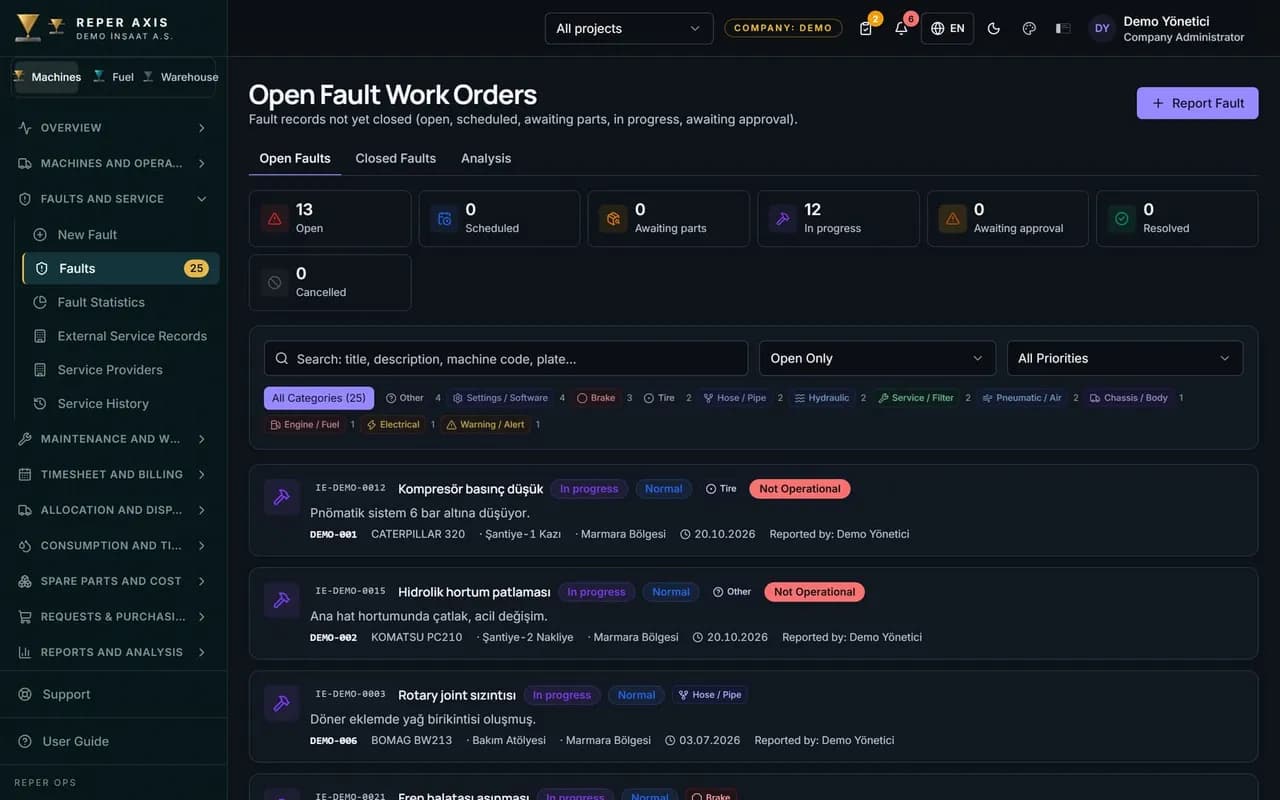
In Reper Axis a fault is raised by scanning the QR code in the field, with category, priority, operable status, photos and operator details. A fault marked not operable starts the downtime record, and warranty status is checked automatically and shown as a badge. A fault needing repair becomes a corrective work order in one click; parts, labour and external service are posted to the machine's cost at closure. Every status change is stored with who and when, and records made without connectivity are queued on the device.