Short answer: the writer writes in their own language, the reader reads in theirs
On projects abroad or in mixed crews, the technician may work in Arabic, the foreman in Turkish and the head office in English. If everyone has to write fault notes in one language, notes come out wrong or incomplete. The better way is to let the writer use their own language and show the note to the reader in theirs. The original text is never replaced by the translation. The translation is kept next to it as a separate record.
This is not magic. It is an aid that has to be used with care. The sections below separate when translation helps, which notes it never touches, and when you should go back to the original text.
The journey of one fault note
The process has five steps and asks nothing extra from the writer when a fault is opened in the fault management module.
- The technician opens the fault record in their own language: title, description and, if needed, a part note.
- The record is stored with its original text, and a translation job is queued in the background. Until the translation is ready, the reader sees the original.
- The interface languages chosen by the active users on the project become the target languages (Kyrgyz is not a target). The language of the written text is removed from the targets.
- The foreman reads the record in their own language, with the note Automatically translated (from … ) shown on the record.
- If they need to check the original, one tap on Show original does it, and Show translation takes them back.
Three separate ideas: interface language, text language, translation support
On a multilingual site three ideas are often mixed up. The interface language is the one a user chooses on their Profile page, in which menus and buttons appear. In the web application these are Turkish, English, Russian, Arabic, French, Romanian and Kyrgyz. In the mobile application the language is chosen separately and saved to the server, and Russian is not available on mobile. In Arabic the screen runs right to left. The text language is the language the note was actually written in, and it can differ from the interface language: a user with a Turkish interface can write a note in Arabic. Translation support is the set of languages the system can translate automatically. A language being selectable in the interface does not mean translation is done in that language.
The system recognises the language of a note from the writing itself. Arabic script is treated as Arabic. Cyrillic text is treated as Russian, but if letters specific to Kyrgyz (ң, ө, ү) are seen, the text counts as Kyrgyz and is not translated. In Latin-script text of enough length, the language is detected automatically. The writer's interface language is only a hint for very short notes. The text itself is the real measure. The limits are:
- In short Latin-script notes the hint can mislead. If a user with a Turkish interface writes an English note of fewer than about twenty letters, the text may be taken as Turkish and the translation will make no sense. Write short notes in the language of your interface, or add a few more words.
- Kyrgyz notes are not translated automatically. They appear in the original. Nothing is translated into Kyrgyz either: a user with a Kyrgyz interface sees notes written in other languages untranslated, in the language they were written.
- A short Cyrillic note with no Kyrgyz letters does not show which language the writer used. If a user with a Russian interface writes a short Kyrgyz note, it may be taken as Russian and translated wrongly. If a user with a Kyrgyz interface writes a Cyrillic note of fewer than about 60 letters, the text is left untranslated because of the uncertainty.
Example flow: from the night shift to the morning meeting
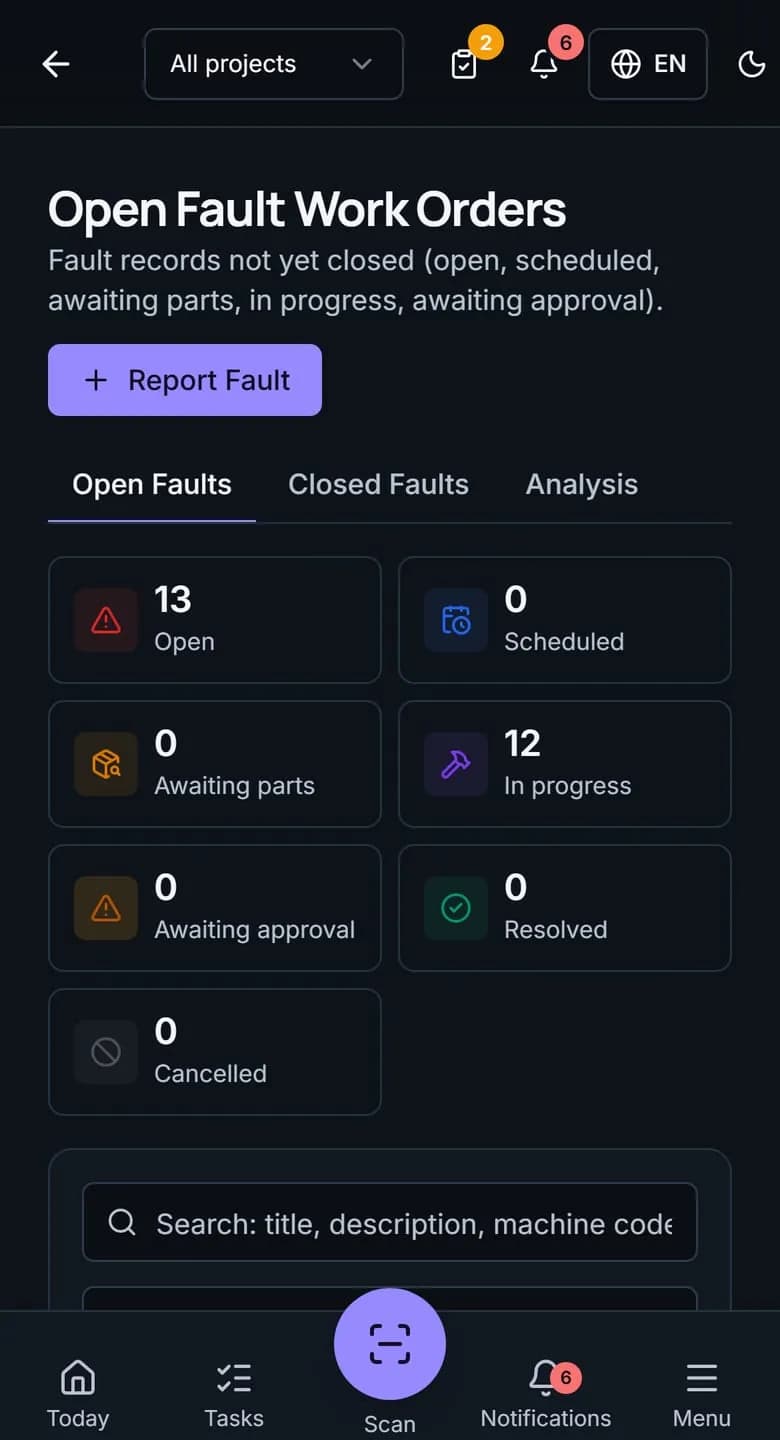
Example: on the night shift, a technician writes about a leak from an excavator's hydraulic hose in his own language and opens the record. In the title he puts the machine code, and in the description the place of the leak and that the machine cannot be operated. When the translation is ready, the foreman on the morning shift reads the same record on his phone in English. He sees a note saying it was translated from Arabic. He does not understand where the hose is, so he taps Show original and talks to the technician.
The translation does two jobs here. It makes the record readable for everyone, and it sends the foreman to ask the technician. A translation is not a work order. The technical knowledge still passes between people.
How to write a good fault note
The quality of the translation depends on the quality of the source text. A short, orderly note is easier to translate and easier to read. The order below is an example. Each company can set up its own template.
- Title: machine code, part and symptom. Example: EXC-04 left hydraulic hose, oil leak.
- Description: when it was noticed, under what conditions it got worse, what was tried. Three or four short sentences are enough.
- Can the machine operate: tick the matching option in the record form. Do not bury it in the text.
- Part note: the name of the part needed and its reference number if there is one. Writing the code and the quantity apart from the words reduces the risk of misreading.
What is translated and what is not
Only free-text fields that are shown on screen are translated. This limit makes both the quota and the expectations clear.
- Translated: the fault title, description, part note, resolution note and comments; the title, description and rejection reason of a maintenance work order; the title, reason and free-text lines of a material request.
- Not translated: plate numbers, machine codes and meter values, and definition records such as category names. A category name is a single-language field set by the company.
- Not translated: very short notes (a single word, or fewer than about eight letters) and notes made up only of a code or an abbreviation, such as a field that says only ARZ-204 or HYD. These appear as written.
- Not translated: notes written in Kyrgyz, and any single field of more than five thousand characters.
- If a translation cannot be produced, for example when the service cannot be reached or the monthly limit is used up, the reader sees the original text.
- The labels for priority and status come in the interface language and need no translation.
- In the mobile application the translation is shown on the fault detail screen. There is no translation on the maintenance work order detail screen for now.
- Excel and PDF reports print the original text. No translation appears in official output.
Quota and settings: what the administrator does
Automatic content translation is not a feature that comes with every package. It is switched on in the company settings, it is off by default, and whether it is available depends on the package quoted. Confirm with the sales team whether it is in your package. The administrator sets the status to On on the Automatic content translation card on the Settings page and chooses the Monthly character limit. The default limit is 20,000 characters, and the card shows how many characters are used this month against the limit. The limit can be set between 1,000 and 2,000,000.
Example calculation: a fault note of 300 characters uses about 600 characters if the project has two target languages besides the language of the text. On that assumption, 20,000 characters cover about 33 fault records. As the number of target languages grows, the use multiplies. Keeping notes short and knowing how many languages the project has protects the quota. Short notes and code notes that are not translated do not use any quota. When the limit is reached, new notes are not translated and appear in the original.
Consistent terms: practice instead of a glossary
This feature does not keep a company-specific glossary. Consistency of terms comes from writing habits. A sentence written with a local idiom on site can be translated wrongly.
Three rules help: write one job in each sentence, give the part name and the machine code side by side, and use a plain verb instead of a local idiom. For example, a note saying the machine will not go can be read as will not run or will not travel. A note saying the machine does not move, the engine is running has one meaning. Handing out a shared list of the ten terms the crew uses most raises the quality of records, whether or not a translation is used.
A set-up check for the administrator
Make six short checks before you switch the feature on. Each one removes a wrong expectation in advance. If you have not yet tried fault recording on your own machines, the 15-day pilot plan shows how to do it.
- Have the users working on the project chosen their interface languages in their profiles? A language that is not chosen does not become a target.
- Are there Kyrgyz speakers in the crew? Their notes are not translated, and nothing is translated for them. The crew needs a habit of short notes in a shared language.
- Has the monthly character limit been set to a sensible number, multiplied by the number of languages on the project?
- Has a test record been opened, and have the translation and the Show original button been tried in two different languages?
- Are category names and definition lists written in the crew's shared language? They are not translated.
- Has the crew been told that the original text appears in official output, that is, in Excel and PDF reports?
Check the original on safety notes
For safety-related notes, for example a fault on a pressurised hose, lifting equipment or brakes, do not rely on the translation alone. The reader should press Show original or speak to the person who wrote it, and confirm. Reper Axis makes reading easier. It does not make the decision, and it does not take the place of the writer.