Short answer: a small, measurable trial with dates
A 15-day pilot works in this form: one site, no more than 10 machines, a few users, three or four written success criteria and a decision meeting on day 15. The aim of the pilot is not to see every feature of the software. It is to measure whether the software gets used on your site, by your own people.
The Reper Axis pilot is free of charge and does not turn into a paid subscription on its own. You send the machine list and the Reper team loads it into the system. You prepare the operator and project lists with the standard Excel templates. The rest of the plan rests on this split of work.
What the pilot includes and what it does not
If the scope is written down before the pilot starts, half of the arguments on day 15 are avoided. The terms are:
- Duration and cost: 15 days, free of charge. There is no automatic charge, and the pilot does not switch to a paid subscription at its end.
- Scope: up to 10 machines. Faults, maintenance and machine timesheet are on. The timesheet is an add-on module that is priced separately in the annual licence. Trying it in the pilot does not mean it is included in the licence.
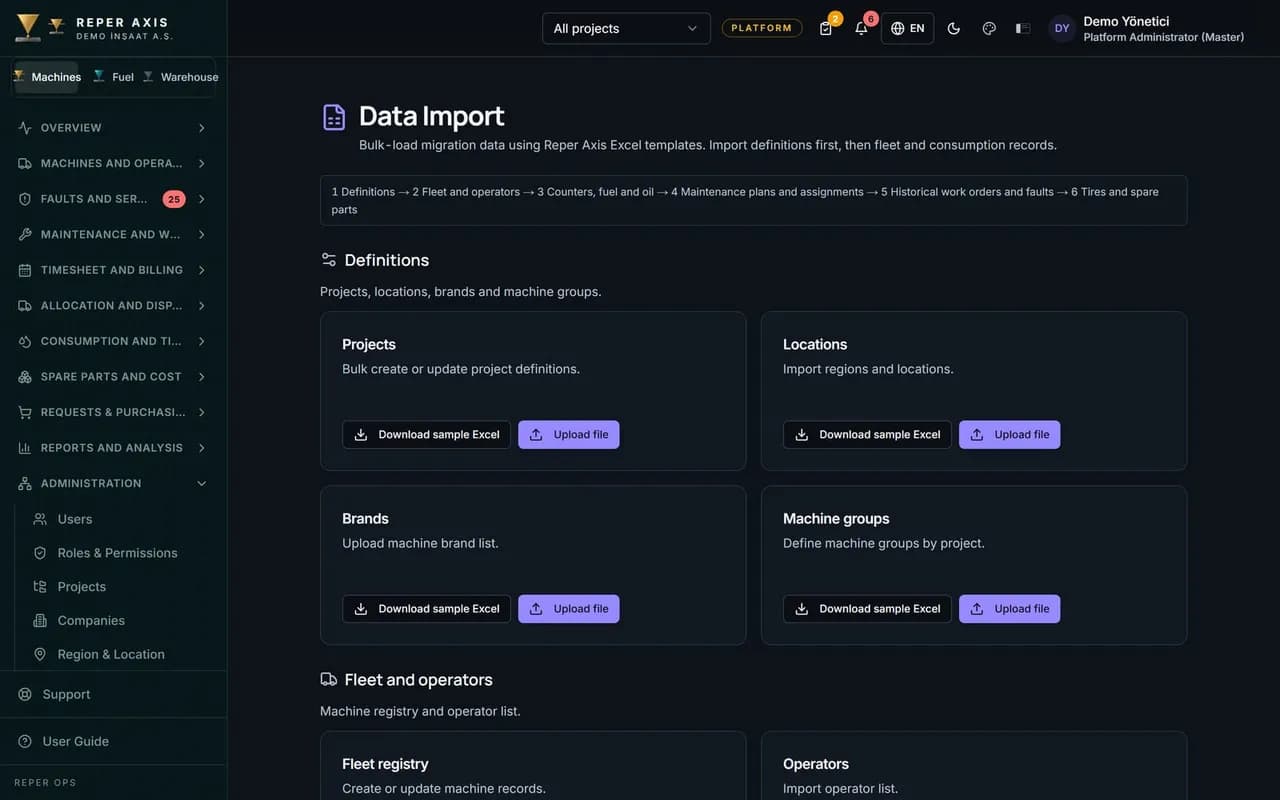
- Excel data import is on during the pilot.
- Machine list: you send it and the Reper team loads it into the system.
- Operators and projects: imported with the standard Excel templates. You prepare the data.
- Maintenance programmes: set up together with you. Do not expect the team to prepare the maintenance data for your whole fleet.
- Historical faults: not part of the standard pilot set-up.
- Support: by e-mail and phone during business hours, in English, plus one online kick-off call.
- Account: a company account of your own and a separate database. A shared trial environment that is reset every night is not used.
- If you buy: the data is kept and you continue with the same account.
- If you do not buy: you can export your data within 30 days. After that your account and live database are deleted. How long copies in encrypted backups are kept and when they are deleted is set out in writing in the pilot agreement.
Which site, which 10 machines
Choosing the site that runs best makes the pilot look good but teaches nothing. Choose a site that has some difficulty, but not a punishing one.
- One site: two sites mean two separate start-ups and two separate problem lists.
- At least three different machine groups among the ten, for example excavator, loader and truck. The meter type and the maintenance routine change by group.
- Machines that work often and machines that are used rarely: the meter freshness criterion is then tested at both ends.
- At least two machines with a high chance of faults: in 15 days the chance of a real fault goes up, and the fault flow is tried with a live event, without loading history.
- Machines with a service coming due: the upcoming and overdue items on the Maintenance dashboard become visible during the pilot.
Write the success criteria first
So that everyone discusses numbers and not feelings at the end of the pilot, write the criteria on day one and sign them. The targets below are examples. Change them to suit your own routine.
- Fault record rate: at least 80% of the faults that happen in the 15 days are opened in the system. For comparison, count the faults in the technician's notebook or in the messaging group.
- Meter freshness: in the Maintenance counter category of the Control List page, at most one of the pilot machines (10%) should appear.
- Maintenance programme: one of the programmes set up together should be assigned to every pilot machine.
- Machine timesheet: the daily draft is corrected and approved by the site manager. On day 15 the number of unapproved days should be close to zero.
- Time saved: measure the time taken to prepare the weekly fault list. An example starting point is 90 minutes, with a target of 15 minutes.
- Use: at least half of the pilot users should have opened a record by QR code at least once.
Day-by-day plan
The plan divides the 15 days into six periods. Each period ends with an output. If there is no output, you do not move to the next period.
- Before the start (you, about 2 hours): send the machine list as an Excel file, with the columns code, plate or serial number, brand and model, machine group, project and last meter value filled in. Write the operator and project lists in the standard templates. Decide the user list and roles. Measure last month's number of faults and the time taken to prepare the weekly list. Meanwhile the team loads the machine list into the system and opens your own account.
- Day 1: the kick-off call takes place online. You sign in and check the uploaded machine list on screen: are the code, group and project correct? The QR code on each machine's card is printed and stuck on the machine. The operator and project files are uploaded from the Excel data import screen. The preview shows the rows with errors before anything is loaded.
- Days 2 and 3: the set-up steps are sent to the site manager and foreman in writing, in English, with step-by-step guidance by e-mail. We do not send a trainer to the site. Your own site manager then makes the first entries on site together with the operator: the operator scans the QR code, reports a fault, enters the daily check and the meter value. On the same days, the maintenance programmes for the machine groups are set up together. The intervals and the last service meter come from you.
- Days 4 to 7: parallel running. The old channel stays open, but every fault is also written into the system. The foreman opens the fault list every morning and follows the faults that send a notification through the assignment and job start flow. The site manager starts correcting and approving the timesheet draft.
- Day 8: a half-hour interim check. The first reading of the criteria is taken. Look for stale meters on the Control List, and correct missing users and permissions.
- Days 9 to 12: the rule changes and faults are opened only in the system. The first overdue and upcoming items appear on the Maintenance dashboard.
- Days 13 and 14: the Fault Report, the Maintenance and work order report and the timesheet list are checked one by one. Anything that looks missing or wrong is noted.
- Day 15: the decision meeting, 60 minutes.
Who enters what in the pilot
If everyone tries to enter everything, nobody enters anything. Define one job per role.
- Operator: reports a fault by QR code, does the daily check and enters the meter value. They do not install an app on the phone. They scan with the camera and sign in on the first scan.
- Technician: starts the fault job assigned to them, writes the part note and the resolution note, and finishes the job.
- Foreman: opens the daily fault list, makes assignments, and approves or rejects completed jobs.
- Site manager: reads the weekly report and corrects and approves the timesheet draft.
- Maintenance planner or machine supply manager: assigns the maintenance programmes to machines and watches the Maintenance dashboard.
Pilot focus: faults, maintenance, timesheet
The training load multiplies as the number of modules grows, so the pilot focuses on faults, maintenance and the machine timesheet. The machine card, meters, checklists, notifications and reports are used within this flow without extra effort. If you also want to try other modules such as cost, stock or procurement, raise it in the kick-off call. Do not assume they are in scope. For general selection criteria, see the buying guide to maintenance management software.
Day fifteen: the decision meeting
Three outputs are expected from the meeting: the result against the criteria, the obstacles the users met, and a decision to continue or stop. If the criteria table is ready beforehand, the meeting does not run past 60 minutes.
The decision falls into one of four cases. If all targets are met and the obstacles are small, a move to the annual licence is discussed. If you buy, the data is kept and you continue with the same account. If the targets are met but users struggled, training and the allocation of roles are corrected, and the decision is taken after that correction. If the result falls short but the cause is clear, for example the meter value is not being entered, separate whether the problem comes from the software or from habit. If the result falls short and the cause is unclear, not buying is a reasonable option. You export your data within 30 days, then the account and live database are deleted, and copies in backups are deleted according to the retention period in the agreement.
Five things that spoil a pilot
If any of the following happens, the result against the criteria will mislead.
- The old channel is not closed: a person who writes in two places gives up one of them, and usually returns to the old channel.
- The success criteria are written at the end: the result is then interpreted by feeling.
- The machine list is prepared wrongly: if a code or group error is not corrected on day one, all the reports mislead.
- Missing permissions: if a user's role or scope is set wrongly, most of the first week goes on solving access problems.
- A pilot that depends on one person: when that person goes on leave, the records stop.