Why operator document tracking is on the site agenda
On most sites operator document tracking runs on a folder and a reminder note. Photocopies sit in the file, expiry dates wait in a spreadsheet nobody opens, and a lapsed document is usually noticed during an inspection or after an accident.
The problem is not only compliance. An operator working on an expired document is a safety risk, creates insurance and liability exposure, and weakens the company's position after an incident. The risk grows if nobody knows which machine that operator was running.
This guide outlines the document types, explains how to set up expiry tracking, and shows why linking documents to machine assignments pays off. For regulatory detail and periods, consult the competent authorities.
Document types that need tracking
The documents tracked for equipment and vehicle operators depend on the role. The list below covers common types; which one is mandatory for which role follows your field of activity and current regulation.
- Operator certificate: the authorisation issued for operating equipment, graded by machine class.
- Driving licence: the class of licence required for trucks and similar vehicles.
- Professional driver certificate: the competence document required of commercial vehicle drivers in many countries (for example the Driver CPC in the EU).
- Psychotechnical report: the periodic assessment renewed for certain driver and operator groups.
- Occupational health and safety certificates: basic and job specific training with limited validity.
- Medical reports and trade certificates: working at height, crane and forklift authorisations.
Setting up expiry alerts
Two things make document tracking work: every expiry date stored in one place, and the right person warned as those dates approach. A folder partly delivers the first and never the second.
The alert threshold follows the length of the renewal process. Documents needing an appointment and a report need a few weeks; certificates requiring retraining need longer. Too short a threshold and the warning arrives after the job is already late.
Who receives the alert also needs designing. The operator, site manager, safety officer and human resources carry different responsibilities. Showing warnings on a dashboard as well as sending notifications keeps them from dying in one inbox.
- A document record holds the type, number, issue and expiry dates and an image of the document.
- Upcoming expiries appear in one list, sorted by days remaining.
- A renewed document does not overwrite the old one; the old record stays in history and the new one is added.
Machine assignments: who operated what
Document tracking tells you an operator holds a valid certificate, not which machine they were running. Machine operator assignment fills that gap by recording the dates each operator was assigned to each machine and keeping the history.
The practical benefit is retrospective enquiry. Which shift a fault was opened in, who was operating during a particular incident, which machine types an operator has experience on: only assignment history answers these.
Assignment also joins document control. Assigning an operator whose certificate for that machine class has lapsed is a risk, and showing document status during assignment surfaces it early. A leaver's past assignments must be archived, not deleted.
Performance and its link to faults
Operator data serves maintenance as well as compliance. Different fault rates on the same machine under different operators suggest the issue is in use rather than the machine. Similar faults following one operator across machines signal a training need.
Checklist completion rate is another readable indicator per operator. Machines run by operators who complete shift start checks show more early detection and less unplanned downtime, and low rates can be met with targets and training.
These readings belong to development, not punishment. Figures are interpreted together with assignment history, machine age and site conditions, and never on one month or one fault.
Producing evidence for inspections
The questions asked in a safety inspection or after an incident are predictable: who was operating that day, was the document valid, was the shift start check done, was maintenance on time. Those answers must come from records, not scattered folders.
If the operator card holds documents with expiry dates, assignments with their dates and inspections with photographs, the evidence is ready. Tracking who created or changed each record and when makes that evidence stronger.
Being able to scan the machine QR code during a field inspection and see the registration, insurance, roadworthiness test and certificates at once removes the trip back to the office.
How Reper Axis does this
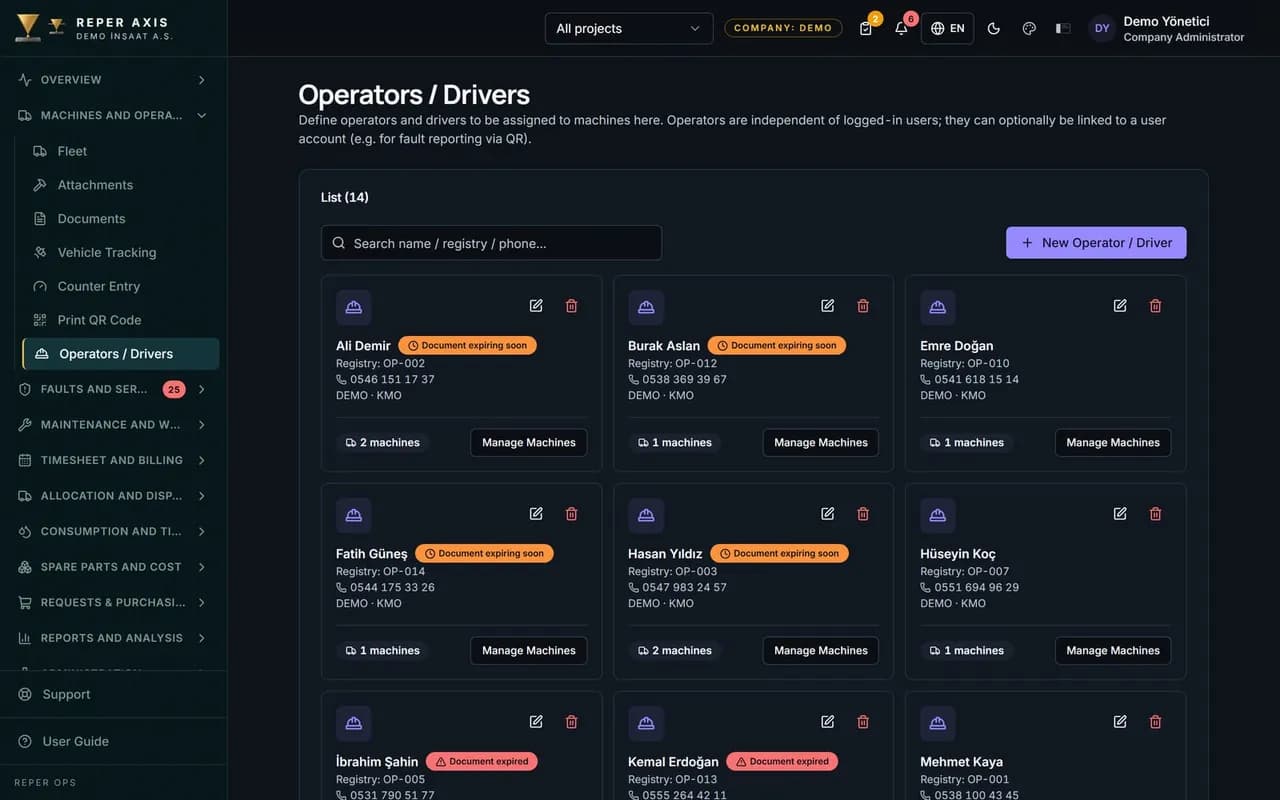
In the Reper Axis operator module operators are defined with their identity details and certificates, and the expiry dates of operator certificates, professional driver certificates, psychotechnical reports and safety training are tracked. A notification reaches the responsible person 30 days before expiry, upcoming dates are listed on the dashboard and a daily scan runs every morning.
Operators are assigned to machines and assignment history is kept with its dates; a leaver's past records are not deleted. Fault frequency and inspection completion on the machines an operator runs appear in the operator report, and every change is written to the audit trail with who and when.